
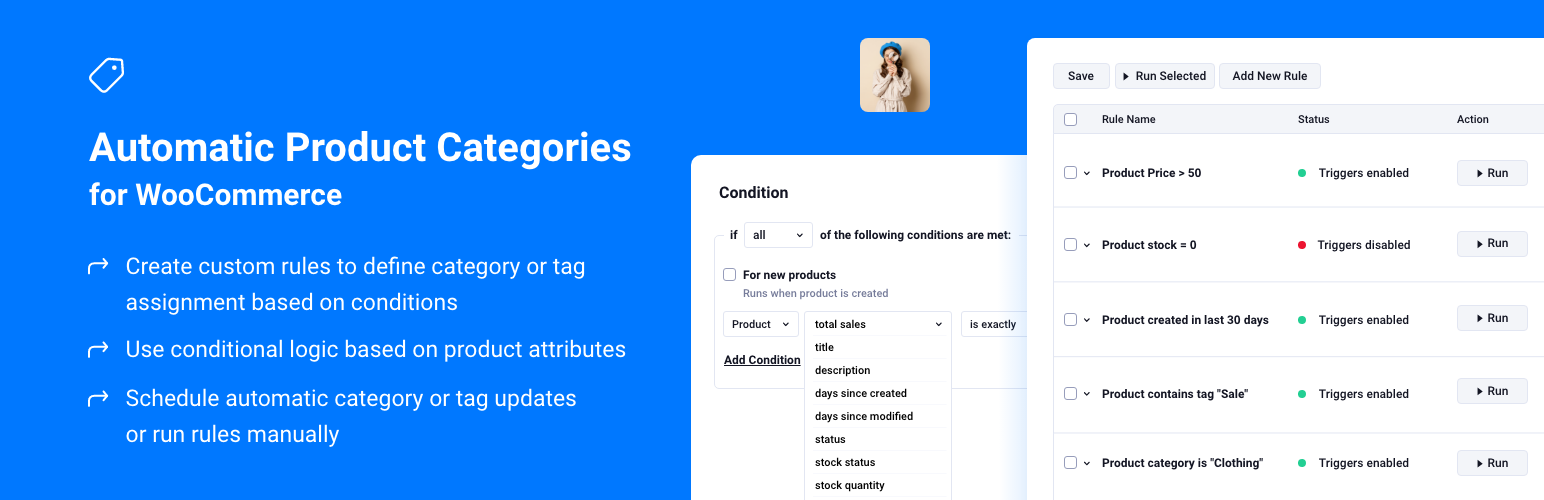

Automatic Product Categories for WooCommerce
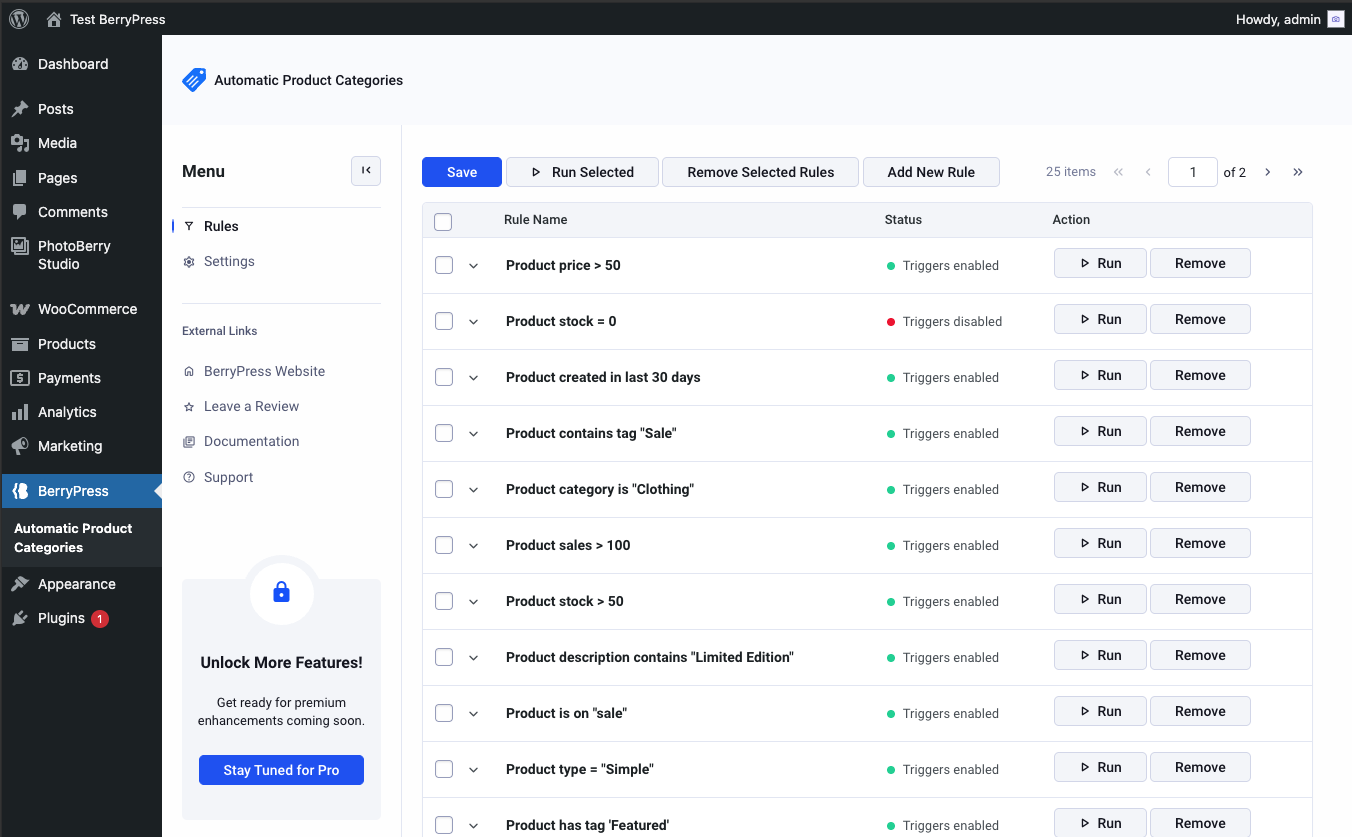
Rule editor with flexible condition logic
Save hours of manual work by automating how your WooCommerce products are categorized.
Automatic Product Categories helps you keep your store structured, searchable, and up-to-date – whether you’re managing 30 or 3,000 products.
Define flexible rules to assign product categories and tags based on product data, events, or schedules – no coding required.
Build rules with many condition types (including stock status, whether stock is managed, attribute values, attribute term names, and category lists with is/is not matching), reorder conditions as needed, and use inline help where selections work as multiselects.
Example use cases
- After imports or migrations – bring large catalogs in line by assigning categories and tags from product data as you standardize.
- Parent and child categories – e.g. when a product is in a child category, automatically add a parent category too.
- Stock or sales-based merchandising – organize or highlight products using stock status, stock quantity, total sales, or sale state.
- “New” or “recently updated” collections – use days since created or modified to keep time-based categories or tags accurate.
- Seasonal or promotional groups – move products in or out of promo categories using titles, tags, attributes, or scheduled runs.
More context and ideas on the BerryPress blog.
Features
✅ Rule-based automation for WooCommerce products
✅ Automatically assign (add or remove) categories and tags based on product data
✅ Broad set of rule conditions – see the Available conditions section
✅ Reorder conditions in the rule editor
✅ Support for custom fields (product meta)
✅ Event triggers (on product creation or update)
✅ Scheduled rule execution (run daily)
✅ Works with variable, grouped, and simple products
Available conditions
These conditions are included in the free plugin (match types vary by condition – text, numeric, exact list, is/is not, and taxonomy-style rules where noted):
- Title – product title
- Description – product description
- Price – product price
- Total sales – lifetime sales amount
- Type – product type (simple, variable, etc.)
- Days since created / days since modified – time since product dates
- Status – post status (published, draft, etc.)
- Stock status – WooCommerce stock status (including products without manage stock)
- Manage stock enabled – yes/no
- Stock quantity – numeric quantity when stock is managed
- Is on sale – yes/no
- Attribute value – pick an attribute and match term(s); supports is/is not style matching
- Attribute term name – text comparison against attribute term names across all product attributes
- Meta field – value of a chosen product meta key
- Category value – pick categories from a list; match whether the product is / is not in those categories
- Category names – text matching against assigned category names (several match modes)
- Tag names – text matching against assigned tag names (several match modes)
Pro adds more conditions, extra match types for list-based conditions, custom-taxonomy actions, and the workflow features below. Details: Automatic Product Categories Pro.
🚀 Pro Features
Automatic Product Categories PRO extends the free plugin with stronger rule management, richer conditions, and safer testing.
Rule management & workflow
🔥 Dry Run – run a rule and preview what would change without applying changes live
🔥 Run summary – per-product results showing which terms were added or removed.
🔥 Search – search the rules list
🔥 Filters – filter rules by enabled/disabled and by group
🔥 Groups – tag rules with groups (dedicated column + filtering)
🔥 Clone rules and clone conditions in one click
🔥 Import / export rules as JSON from a dedicated admin screen
Scheduling
🔥 Hourly and weekly scheduled runs, in addition to daily (free)
Pro conditions, match types, and actions
You get everything in Available conditions, plus extras aimed at larger or more customized catalogs.
- Custom taxonomy names (e.g. brand name) – For brands, vendors, and other product taxonomies beyond core categories and tags, you can match the names of assigned terms using the same kinds of rules you already use for category/tag name conditions. (WooCommerce product attributes stay covered by the free attribute conditions above.)
- Brand value – If your site registers the
product_brandtaxonomy, choose brands from a searchable list and match them like category value (including options such as is/is not, only these terms, or whether a value is set at all, where the UI offers them). - Index – Match products by their position as the rule runs (for example, “skip the first 10 products”).
- Probability (%) – Each product gets a random chance to match (0-100%). Use it when you want a different random subset of products each time the rule runs.
- Probability (count) – About N products match each run, chosen at random from your catalog – handy for a small rotating spotlight without maintaining a list by hand.
- Richer list matching (Pro) – On attribute, category, brand, and similar pick-list conditions, Pro adds stricter options: only these exact terms, or is set / is not set when you care whether a field has any value.
- Actions on custom taxonomies – Rules can add or remove terms on those same taxonomies (such as brands), not only on WooCommerce categories and tags.
UI
🔥 Searchable (SelectWoo) dropdowns for long lists when picking categories, tags, and taxonomy terms
Support
🔥 Priority support from the BerryPress team
Planned Features:
🔥 Advanced rule logs
🔥 Schedule rule execution on specific dates
🔥 Group conditions (Pro) – in development: organize conditions into groups inside one rule and combine those groups with AND/OR logic, so advanced setups stay readable. This will ship in a future Automatic Product Categories Pro release, not in the free plugin.
👉 Get Pro: Automatic Product Categories Pro
Something missing?
The best features often start with someone saying, “I wish the plugin could just…” If a condition, action, or workflow would make your store easier to run, we want to know.
Tell us what you need – a one-off use case, a compatibility question, or an idea for the roadmap. Your feedback helps us prioritize fixes and new capabilities that matter to WooCommerce merchants, not just a feature checklist.
Join the conversation on the WordPress.org support forum – ask for help, suggest improvements, or share how you automate categories and tags. We read the threads and use them to steer development.
Prefer a community space? BerryPress – WordPress Plugins Community – tips, questions, and store owners swapping how they use WooCommerce automation.
📚 Documentation
📦 Installation
- Upload the plugin files to the
/wp-content/plugins/automatic-product-categoriesdirectory or install via the WordPress Plugins screen. - Activate the plugin.
- Go to BerryPress -> Automatic Product Categories in the admin menu.
- Start creating rules to automate your product categorization.