
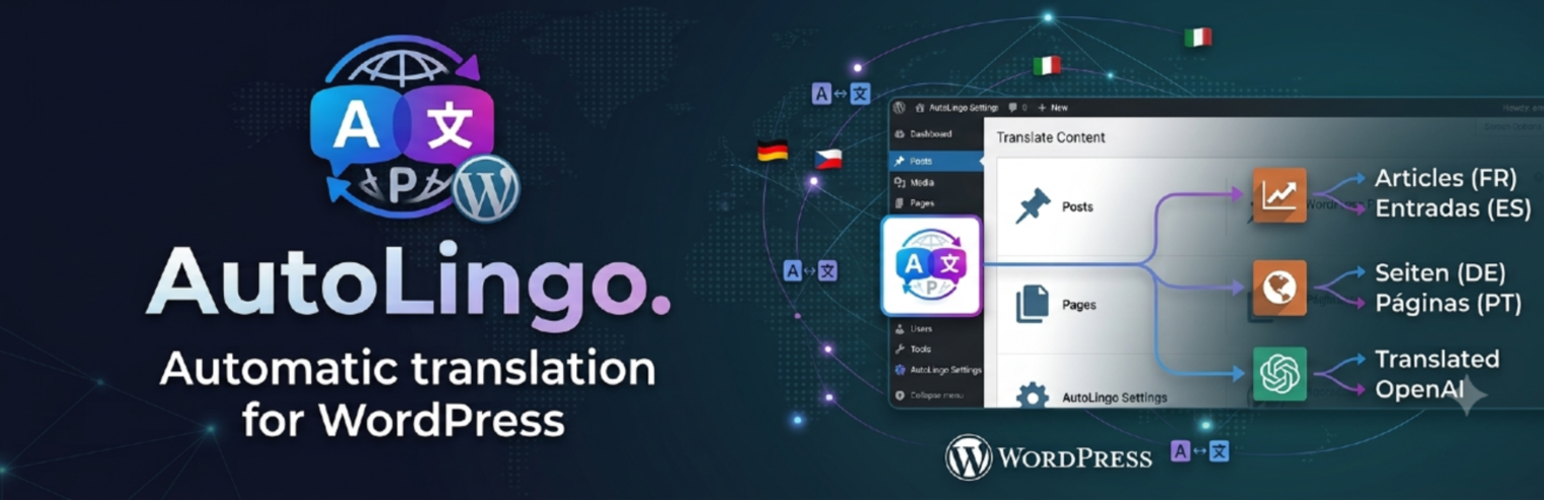

AutoLingo — Automatic Translation for Polylang & WPML

Settings page — choose your translation provider (DeepL, OpenAI, Google), API key, source and target languages, and which modules to enable.
AutoLingo is the automatic translation plugin for Polylang and WPML. It auto-translates your posts and pages using DeepL, OpenAI (ChatGPT) or Google Translate — created and synced natively with your multilingual plugin. AutoLingo Pro adds WooCommerce products, SEO metadata (Yoast, RankMath), ACF fields and page builder support (Elementor, Beaver Builder, Bricks).
Whether you need Polylang or WPML automatic translation for a single post or your entire content library, AutoLingo does it on publish, in bulk, or via WP-CLI, with AI translation quality from DeepL, OpenAI or Google.
Features (Free)
- Translate Gutenberg content (title, blocks, excerpt) on publish or manually
- Manual translate button in the post editor and post list
- Bulk translation via WP-CLI (
translate-missing,translate-all) - Nav menu translation via Polylang
- DeepL Free and Pro plan auto-detection (key suffix
:fx) - Credit balance check before each translation
- Admin alert + dashboard widget when credit runs low
- Category and tag translation — term names (and descriptions) are genuinely translated via your chosen provider, not just linked to an existing Polylang/WPML translation
- Image alt text translation — when a translated media item exists, its alt text is translated too, not just copied
- Post meta copy on creation (theme settings, page templates, layout options)
- Shortcode-based builders (Divi, WPBakery, Flatsome) — shortcodes preserved verbatim
Features (Pro)
AutoLingo Pro adds:
- Page builder support: Elementor, Beaver Builder, Bricks Builder
- SEO meta translation: Yoast SEO, RankMath, SEOPress, The SEO Framework
- ACF field translation: text, textarea, wysiwyg, link, repeater, flexible content
- WooCommerce: custom product attributes and purchase note
Page builder support (Pro)
- Elementor —
_elementor_data(JSON), all common widget types - Beaver Builder —
_fl_builder_data(serialized PHP), global nodes skipped - Bricks Builder —
_bricks_page_content_2(JSON), nested items (accordion, tabs)
Shortcode-based builders (Divi, WPBakery, Flatsome) are supported on the free plan — their shortcodes are preserved verbatim during translation.
SEO plugin support (Pro)
- Yoast SEO — title, meta description, focus keyword
- RankMath — title, description, focus keyword
- SEOPress — title, description
- The SEO Framework — title, description
- SEO template variables (
%%title%%,%sep%,%sitename%…) are preserved automatically
ACF (Pro)
Translates text, textarea, wysiwyg, and link (title only) fields, including repeater and flexible_content layouts.
WooCommerce (Pro)
Translates custom product attributes (name + pipe-separated values) and the purchase note. Price, stock, and SKU are never modified.
Reliability
- Exponential back-off retry on HTTP 429 (rate limit): 2 s 4 s 8 s, up to 3 retries
- Dual lock (static + transient) prevents duplicate translations on Gutenberg REST saves
- Translation log viewer in the admin (DB-backed, 30-day retention)
- Integration test suite — 41 tests covering all modules
External Services
This plugin optionally connects to one of three external translation APIs depending on which provider you choose in Settings AutoLingo. No data is ever sent without an explicit translation action and a valid API key that you supply yourself.
DeepL
What it is: DeepL is a machine translation service. This plugin uses the DeepL REST API to translate your post content.
What data is sent: The text content of your posts (title, body, excerpt) is sent to DeepL’s servers for translation. If you use the Glossary feature, your glossary terms (source and target words) are also sent to create a DeepL glossary. No personally identifiable information about your site visitors is transmitted.
When it is sent: Only when a translation is triggered — either manually via the Translate button, automatically on publish (if enabled in settings), via WP-CLI, or when syncing a glossary.
Service endpoint: api.deepl.com (Pro) or api-free.deepl.com (Free plan)
- Terms of Service: https://www.deepl.com/legal/terms
- Privacy Policy: https://www.deepl.com/privacy
OpenAI
What it is: OpenAI provides the GPT language model API. This plugin uses the gpt-4o-mini model to translate your post content when OpenAI is selected as the provider.
What data is sent: The text content of your posts is sent to OpenAI’s servers. No visitor data is transmitted.
When it is sent: Only when a translation is triggered manually or on publish.
Service endpoint: api.openai.com
- Terms of Service: https://openai.com/policies/terms-of-use
- Privacy Policy: https://openai.com/policies/privacy-policy
Google Cloud Translation
What it is: Google Cloud Translation API provides machine translation. This plugin uses it to translate post content when Google Translate is selected as the provider.
What data is sent: The text content of your posts is sent to Google’s servers. No visitor data is transmitted.
When it is sent: Only when a translation is triggered manually or on publish.
Service endpoint: translation.googleapis.com
- Terms of Service: https://cloud.google.com/terms
- Privacy Policy: https://policies.google.com/privacy
Configuration
- Get a DeepL API key at deepl.com
- Free plan — 500,000 characters/month, key ends with
:fx - Pro plan — pay-as-you-go
- Free plan — 500,000 characters/month, key ends with
- Enter the key under Settings AutoLingo
- Choose your source language (default: French) and target languages (default: English)
- Choose which content types to translate (default: Posts and Pages)
WP-CLI Commands
wp pdat audit — list all source posts with translation status per language
wp pdat audit --format=csv — same output as CSV
wp pdat translate-missing --dry-run — simulate without creating anything
wp pdat translate-missing — translate only missing translations
wp pdat translate-all — translate or update all source posts
wp pdat translate-options — translate ACF Options Page fields
wp pdat audit-acf — list all translatable ACF fields