


Autocomplete for Calculated Fields Form
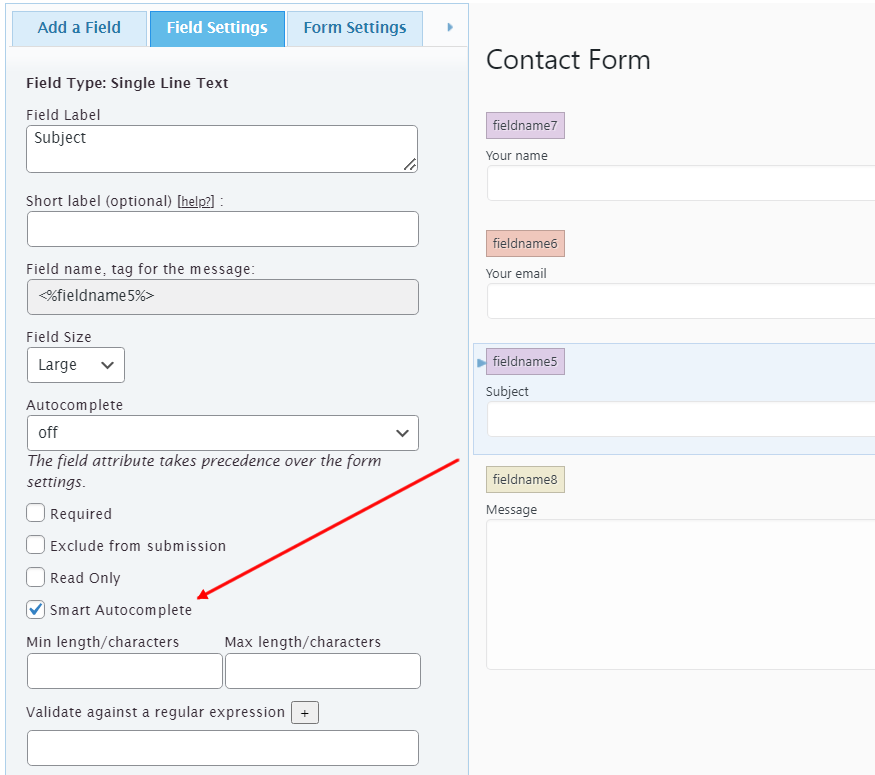
Smart Autocomplete attribute in the field settings.
The plugin improves the user experience when filling in form fields. It allows you to enable the smart autocomplete module in the “Single Line Text” and “Line Text DS” fields in the “Calculated Fields Form” to suggest words and phrases to the user as they type in field values.
The plugin includes the “Smart Autocomplete” attribute in the settings of the “Single Line Text” and “Line Text DS” fields. Enabling the autocomplete module in the form fields is as simple as ticking the “Smart Autocomplete” checkbox in the field settings.
For fields where Smart AutoComplete is enabled, the plugin will display a list of possible phrases, including information entered by users as they type so they can select one of the options.
Use
The “Autocomplete for Calculated Fields Form” plugin includes the “Smart Autocomplete” checkbox in the settings of the Single Line Text and Line Text DS controls. To enable the autocomplete on these controls, tick the “Smart Autocomplete” checkbox (see screenshots). On public forms, the plugin will display a list of suggested phrases related to the information entered by the user, allowing them to select one of the options to complete the field values.