

Auto Clear Cache For Elementor
0/5 (0 ratings) 300 active installs Updated Aug 23, 2026
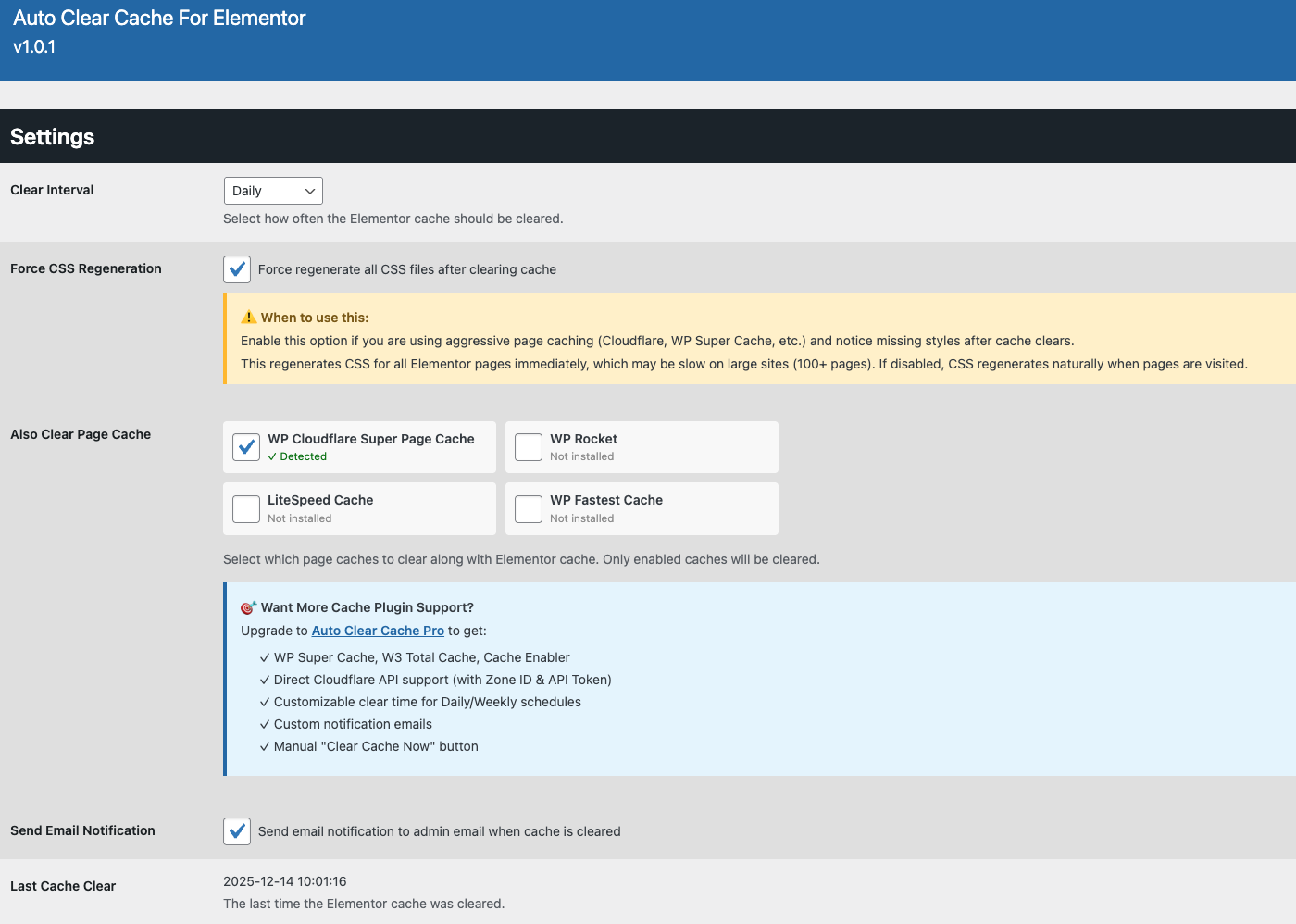
Settings
Auto Clear Cache For Elementor simplifies cache management for Elementor sites by automating the cache-clearing process. Perfect for keeping your site fresh without manual intervention, this plugin offers simple and effective features:
- Customizable Schedules: Choose from multiple intervals (Hourly, Twice Daily, Daily, Weekly) to automatically clear the Elementor cache.
- Email Notifications: Receive optional email notifications to the admin email when the cache is cleared.
- Option to clear certain other cache plugins at the same time.
- Option to regenerate Elementor CSS files straight away after clearing.
- Last Clear Status: View the timestamp of the last cache clear for easy monitoring.
- Lightweight and Secure: Built with WordPress best practices, ensuring performance and security.
Pro Version
For advanced features, check out Auto Clear Cache Pro For Elementor. The Pro version includes:
- Customisable Schedules: Choose from multiple intervals (Hourly, Twice Daily, Daily, Every 6 Hours, Weekly) to automatically clear the Elementor cache.
- Specific Clear Time: Set a precise time of day for Daily or Weekly cache clears, aligned with your site’s timezone.
- Email Notifications: Receive optional email notifications when the cache is cleared, sent to a custom email address or the admin email.
- Manual Clear Option: Clear the Elementor cache instantly with a dedicated “Clear Cache Now” button.
- Last Clear Status: View the timestamp of the last cache clear for easy monitoring.
- Option to clear other cache plugins at the same time.
- Lightweight and Secure: Built with WordPress best practices, ensuring performance and security.
To upgrade, visit Auto Clear Cache Pro For Elementor for details.