
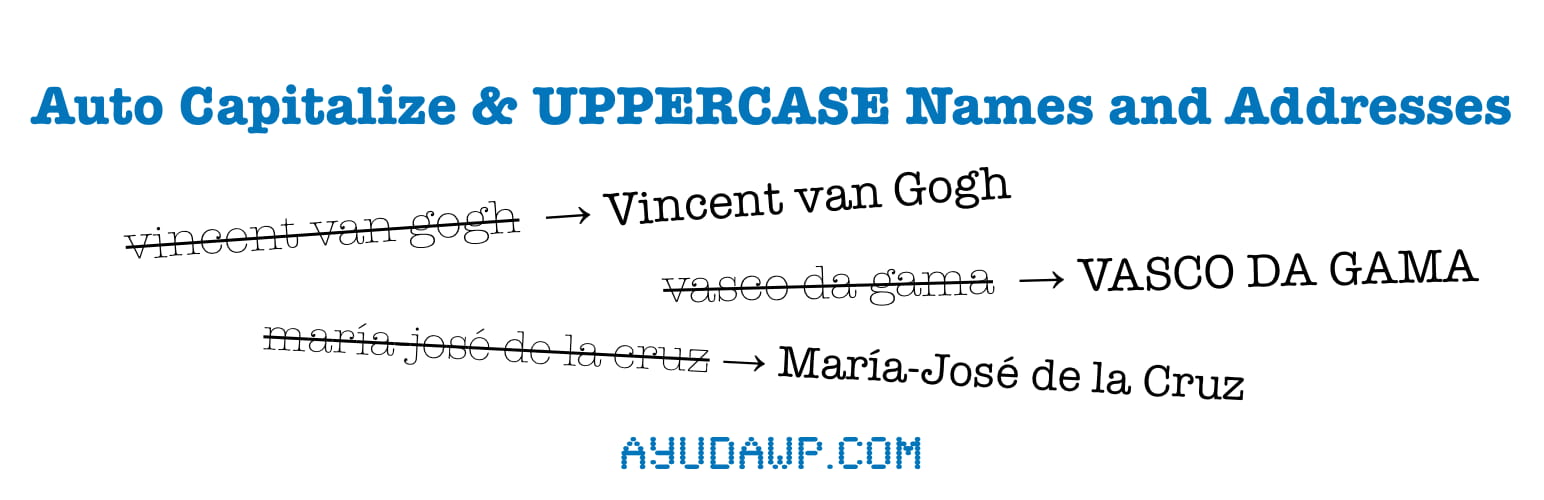

Auto Capitalize & UPPERCASE Names and Addresses

Main settings page with automatic formatting and bulk conversion setup
Auto Capitalize & UPPERCASE Names and Addresses ensures all customer names and addresses in your WordPress and WooCommerce site are properly formatted, maintaining professional consistency across your entire platform.
The Problem It Solves
Many website owners face issues with inconsistent name and address formatting:
- Customers entering names and addresses in all lowercase during registration or checkout
- Unprofessional-looking reports and invoices with incorrect capitalization
- Billing errors and disputes due to mismatched name formats
- Poor data quality affecting marketing efforts and customer communications
- Manual correction of thousands of existing records
- Need for specific fields in UPPERCASE for legal or formatting requirements
- Business acronyms and brand names being incorrectly formatted
This plugin was born from a real client need: ensuring invoice reports had correctly formatted names and addresses to avoid billing discrepancies and maintain professional standards.
Key Features
-
Automatic Formatting: Formats names and addresses in real-time during:
- WordPress user registration and profile updates
- WooCommerce checkout process
- Admin edits of users, customers, and orders
- My Account address updates
-
Three Format Modes:
- Capitalize Mode (default): First letter capitalized, respecting particles in both names and addresses (e.g., “Juan de la Cruz”, “Calle de la Paz”)
- UPPERCASE Mode: All characters converted to uppercase (e.g., “JUAN DE LA CRUZ”, “CALLE DE LA PAZ”)
- lowercase Mode: All characters converted to lowercase (available in bulk tool only)
-
Exclusion Support (NEW in 2.1.0): Define terms that should never be modified
- Exact match exclusions for particles, acronyms, and brand names
- Independent exclusion lists for automatic formatting and bulk conversions
- Examples: de, la, SL, S.L., SA, CCOO, iPhone, WordPress
-
Field Control: Choose exactly which fields to format automatically:
- WordPress user names (first_name, last_name)
- WooCommerce billing names
- WooCommerce shipping names
- Billing address, all fields or one by one (company, address, city, state/province)
- Shipping address, all fields or one by one (company, address, city, state/province)
- Additional fields, all or one by one (user email, billing email, billing phone)
-
Smart Name and Address Handling:
- Compound names with hyphens (maría-josé María-José)
- Multilingual particles kept lowercase in names AND addresses (de, la, van, von, da, etc.)
- Multiple word names and addresses (Ana María del Carmen, Calle de la Paz)
- UTF-8 support for international characters
-
State & Province Codes: In WooCommerce, 2-letter state and province codes are kept in their official format (SP, RJ, CA, NY) instead of being capitalized like a word. It uses WooCommerce’s own state data, so there is nothing to maintain, and free-text regions are still capitalized normally.
-
Developer Friendly: Filters to customize exclusions, particles, and how state/province values are formatted.
-
Multilingual Support: Includes default particles for:
- Spanish: de, la, del, las, los, y
- French: du, des, le
- Italian: di, da, degli, dei, della
- Dutch: van, van de, van der, de, den
- German: von, vom, von der, zu, zur
- Portuguese: da, do, das, dos
-
Independent Bulk Conversion Tool:
- Three conversion modes: Capitalize, UPPERCASE, or lowercase
- Fine-grained selection: user names, customer names/addresses, order names/addresses, additional fields
- Independent exclusion list for bulk conversions
- Automatic batch processing for large sites (batches of 50 records)
- Real-time progress tracking with AJAX-powered interface
- Memory and timeout protection for any site size
- Preview changes before applying
- Safe operation with detailed change preview
- One-time fix for existing database records
- Detailed breakdown of changes made
-
Clean Admin Interface:
- Card-based layout with clear visual hierarchy
- Automatic formatting and bulk tool side by side
- Mobile and tablet responsive design
-
HPOS Compatible: Full support for WooCommerce High-Performance Order Storage
What Gets Formatted
The plugin can format these fields (you choose which ones):
WordPress Users:
– First name (first_name)
– Last name (last_name)
– Email address (optional)
WooCommerce Customers:
– Billing first and last names
– Shipping first and last names
– Billing address fields (company, address_1, address_2, city, state)
– Shipping address fields (company, address_1, address_2, city, state)
– Additional fields (email, phone, etc.)
WooCommerce Orders:
– Billing first and last names
– Shipping first and last names
– Billing and shipping address fields
– Additional fields (email, phone)
Format Modes
Capitalize Mode (Default):
– Names: First letter capitalized, particles in lowercase
– Addresses: First letter capitalized, particles in lowercase
– Emails/Phones: Converted to lowercase
– Example names: “juan de la cruz” “Juan de la Cruz”
– Example addresses: “calle de la paz” “Calle de la Paz”
– Exclusions: Terms in exclusion list remain unchanged
UPPERCASE Mode:
– All characters converted to uppercase
– Applies to all selected fields
– Exclusions: Terms in exclusion list remain unchanged
– Example names: “juan de la cruz” “JUAN DE LA CRUZ”
– Example addresses: “calle de la paz” “CALLE DE LA PAZ”
lowercase Mode (Bulk Tool Only):
– All characters converted to lowercase
– Useful to undo incorrect changes
– Available only in bulk conversion tool
Exclusions Feature (NEW in 2.1.0)
The plugin allows you to define terms that should not be modified during formatting. This works with exact matching – the plugin will preserve the term exactly as you write it in the exclusion list.
Two Independent Exclusion Lists:
– Main Settings: For automatic formatting of new/edited records
– Bulk Tool: Separate list for one-time bulk conversions
Both lists are multi-line text areas: write one term per line (comma-separated lists still work too).
Examples:
* Particles: de, la, del (for “Juan de la Cruz”)
* Spanish business types: SL, S.L., SA, S.A., SLU
* Acronyms: CCOO, UGT, ONU, UNESCO, UNED
* Brand names: iPhone, WordPress, PayPal
* Multiple variants: If you want to cover all cases, add each variant: de, De, DE
How it works:
If “SL” is in your exclusion list, only the exact text “SL” will be preserved. If the input contains “sl” or “Sl”, those will be formatted according to the selected mode. To preserve all variants, add them all: sl, SL, Sl, s.l., S.L.
Bulk Conversion Tool
The bulk conversion tool is completely independent from automatic formatting settings:
Three Conversion Modes:
1. Capitalize: Names capitalized respecting particles, addresses capitalized, emails/phones to lowercase
2. UPPERCASE: All selected fields converted to UPPERCASE
3. lowercase: All selected fields converted to lowercase (useful to undo incorrect changes)
Detailed Selection:
– WordPress user first and last names
– Customer billing and shipping names
– Complete customer addresses (billing and shipping)
– Order billing and shipping names
– Complete order addresses (billing and shipping)
– Additional fields (email, phone, etc.)
Independent Exclusions:
The bulk tool has its own exclusion list, separate from automatic formatting settings. This allows you to have different exclusion rules for bulk conversions.
Name and Address Examples
The plugin correctly handles:
Names:
– Simple names: “john smith” “John Smith” or “JOHN SMITH”
– Accented names: “josé garcía” “José García” or “JOSÉ GARCÍA”
– Hyphenated names: “maría-josé” “María-José” or “MARÍA JOSÉ”
– Spanish particles: “juan de la cruz” “Juan de la Cruz” or “JUAN DE LA CRUZ”
– Dutch names: “vincent van gogh” “Vincent van Gogh” or “VINCENT VAN GOGH”
– German names: “ludwig von beethoven” “Ludwig von Beethoven” or “LUDWIG VON BEETHOVEN”
– French names: “charles de gaulle” “Charles de Gaulle” or “CHARLES DE GAULLE”
– Portuguese names: “vasco da gama” “Vasco da Gama” or “VASCO DA GAMA”
Addresses:
– Spanish: “calle de la paz” “Calle de la Paz” or “CALLE DE LA PAZ”
– Spanish: “avenida de los reyes” “Avenida de los Reyes” or “AVENIDA DE LOS REYES”
– Spanish: “plaza del carmen” “Plaza del Carmen” or “PLAZA DEL CARMEN”
– French: “rue de la paix” “Rue de la Paix” or “RUE DE LA PAIX”
– Italian: “via degli uffizi” “Via degli Uffizi” or “VIA DEGLI UFFIZI”
With Exclusions:
– Input: “empresa sl con iPhone” (exclusions: SL, iPhone)
– Capitalize result: “Empresa SL Con iPhone”
– UPPERCASE result: “EMPRESA SL CON IPHONE”
Support
Need private support or custom development?
Do you need one-on-one help, priority troubleshooting, or a custom feature, integration, or tweak built specifically for your site? I offer private support and custom development. Just contact me and tell me what you need.
Need help or have suggestions?
Love the plugin? Please leave us a 5-star review and help spread the word!
About AyudaWP.com
We are specialists in WordPress security, SEO, and performance optimization plugins. We create tools that solve real problems for WordPress site owners while maintaining the highest coding standards and accessibility requirements.