
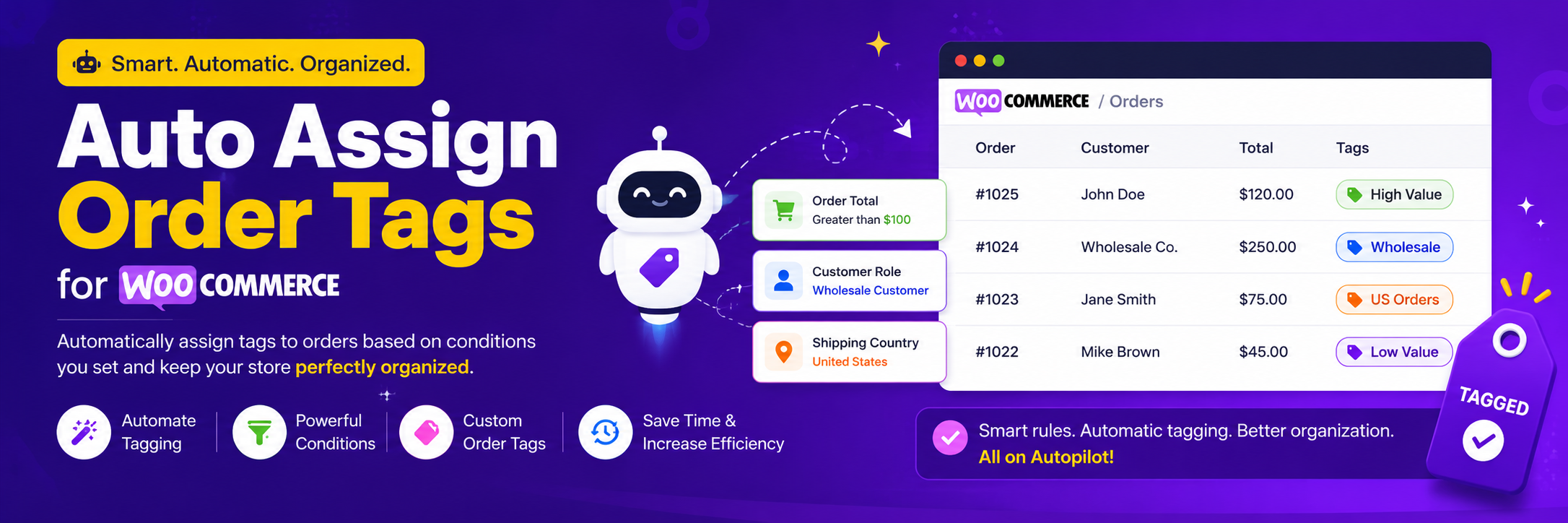

Order Tags or Order Label for WooCommerce

Order tag gets applied to the order automatically and shows in the order completion email (you can disable this from showing in the email from plugin settings)
This plugin automatically tags WooCommerce orders based on custom rules to improve order management and efficiently manage order processing.
Help me manage orders efficiently
An Order management WooCommerce plugin for automatic or manual order tagging based on custom rules — ideal for busy stores that need efficient order management.
⚙️ Quick order condition tracking
⚙️ Order filtering and tag searching
⚙️ Bulk tag addition/removal
⚙️ Tag visibility in order list and details
No more opening orders individually. A quick glance at the tag reveals the status — saving time and streamlining your workflow.
Features
🧠 Automatic Tag Assignment – Automatic assignment of tags to WooCommerce orders based on custom rules.
🧠 Advanced Rule Logic – Combining conditions using AND/OR for advanced rule creation.
🧠 Multiple Tag Application – Applying multiple tags to orders based on different matching rules.
🧠 Manual Tag Editing – Adding or removing tags directly from the order edit screen.
🧠 Seamless WooCommerce Integration – Full compatibility with the default WooCommerce order system.
🧠 Color-Assigned Tags – Assigning colors to tags for quick visual identification.
🧠 Tag-Based Order Filtering – Filtering orders in the admin list by one or more tags.
🧠 Tag Inclusion in Admin Emails – Including order tags in WooCommerce admin emails, with control over tag placement and the option to disable it from the WooCommerce > Settings > Email settings page.
Email Notifications for Order Tag Assignments
Instant Notifications for Tag Assignments – Get instantly notified when specific tags are applied to orders. With this feature, automatically send email alerts to your team (or customers) when an order is tagged. Whether it’s a high-priority order, an international shipment, or a custom-defined condition, stay informed and take immediate action.
You can set the email to send a notification only once when the tag is assigned to the order. This is useful when you want to trigger a notification only once for an order. So if the tag is reassigned to the same order again, the notification will not be triggered again.
This email can also be send to customer as well by using {billing_email} placeholder in the email recipient field. So if you want to give specific instruction to customer when an order is tagged, you can do that using this feature.
Telegram Notifications for Order Tag Assignments
Receive instant Telegram notifications when an order is tagged. This feature lets you set rules to send alerts for high-value orders, international shipments, or any custom-defined condition, keeping you informed in real-time.
You can set Telegram to send a notification only once when the tag is assigned to the order. This is useful when you want to trigger a notification only once for an order. So if the tag is reassigned to the same order again, the notification will not be triggered again.
Webhook Trigger for Order Tag Assignments
Trigger External Workflows Instantly via Webhooks – Send real-time webhook requests when a specific tag is applied to an order. Use this to notify third-party systems, automate tasks in external apps, or integrate with platforms like Zapier, Make, or custom APIs.
You can set the webhook to trigger only the first time when the tag is assigned to the order. This is useful when you want to trigger a webhook only once for an order. So if the tag is reassigned to the same order again, the webhook will not be triggered again.
🛠️ Implementation Examples
Warehouse Sync Tag Notify Inventory System: When an order is tagged Warehouse Sync, send a webhook to your inventory management tool to update stock or initiate packing.
Product tag in order success email
- We have given the option to show the product tag in the order email and order success page
Order tagging conditions
– Set different conditions to tag orders and manage orders based on your needs. The plugin supports the following conditions:
🌍 Order Subtotal: Tag orders based on the order subtotal, allowing you to manage orders according to their total value for efficient order management for WooCommerce.
🌍 Billing or Shipping Country: Use order tags to categorize orders based on the billing or shipping country, simplifying order management for WooCommerce based on geographic locations.
🌍 Product Categories: Tag orders based on product categories, enabling order management for WooCommerce by the types of products customers purchase.
🌍 Product Quantities: Tag orders according to the number of products ordered, giving you more control over order management for WooCommerce for bulk purchases.
🌍 Total Quantity: Tag orders based on the total quantity of items in an order, streamlining the process of managing large or small orders for WooCommerce.
🌍 Product: Specific Product or Combination of Products: Tag orders that include specific products or combinations of products, making it easier to manage orders containing certain items for WooCommerce.
🌍 Order Weight (PRO): Tag orders based on their weight to help manage shipping and handling for lightweight or heavy orders for WooCommerce.
🌍 Order Shipping Zone: Use order tags to categorize orders based on their shipping zone, enhancing order management by shipping region.
🌍 Product Tag: Tag orders based on the product tags associated with items in the order, making it easier to manage orders for specific product types.
🌍 User Role: Tag orders placed by specific user roles (e.g., customer, subscriber) to efficiently manage orders based on customer types.
🌍 User: Tag orders placed by specific users, based on their ID or username, for personalized order management.
🌍 Product Inventory Level (PRO): Get email alerts when a product runs low on inventory and use order tags to manage orders for out-of-stock or low-stock items.
🌍 Backorder Item Included (PRO): Tag orders that contain backordered items, allowing for effective order management and tracking of pending stock.
🌍 Payment Method (PRO): Tag orders based on the payment method used, enabling you to manage orders according to payment types for better tracking and analysis.
🌍 Order day: Notify or tag the orders that were placed on the weekend
🌍 Order status: Assign a tag or send a notification based on the order status
🌍 Shipping Method (PRO): Tag orders based on the shipping method selected by the customer, allowing for efficient order management according to delivery preferences.
🌍 Product Attribute: Tag orders based on specific product attributes, enabling more detailed order management according to product characteristics. E.g:
– Tag “Red Item” — when any product in the order has attribute Color = Red (pa_color = red).
– Tag “Size:XL” — when any product has attribute Size = XL (pa_size = xl).
Plugin-specific conditions
Order date, Order pickup, Order date time, Pickup Location, delivery date for WooCommerce
- Selected date for order pickup or delivery
- Selected time for order pickup or delivery
- Delivery or pickup order
- Same-day order or next-day order
- Order pickup location
- Delivery/Pickup day
- Membership plan assigned to the customer
- Subscription product included in the order
Benefits
💲 Automate order labeling to save time.
💲 Keep your order tagging consistent and organized.
💲 Quickly spot important orders that need extra attention.
💲 Make order processing faster and more efficient.
💲 Easily search and filter orders by their tags.
More Examples
- Tag orders above $500 as “High Value” to notify your packing team.
- Mark orders with subtotal under $50 as “Low Priority” for batching.
- Add “USA Order” tag for all US-based orders to simplify domestic processing.
- Tag all orders from Canada as “Check Duties” for customs prep.
- Use “Clothing Order” tag for orders that include fashion items.
- Tag orders with electronics category as “Fragile Item” for careful packing.
- Add “Bulk Order” tag when customer buys 10+ units of any product.
- Apply “Restock Fast” tag when orders include out-of-stock-prone items.
- Use “Repeat Product” tag if customers order popular SKUs again.
- Tag all orders with food items as “Perishable”.
- Mark orders with toys category as “Gift – Check Packaging”.
- Add “Heavy Load” tag for orders with many items.
- Tag all UK orders as “Royal Mail Eligible”.
- Mark EU orders as “EU VAT Review” for accounting checks.
- Tag orders with subtotal above $1,000 as “Manual Review Needed”.
- Add “Express Required” tag when specific high-quantity products are ordered.
- Use “New Product Trial” tag when an order includes recently launched items.
- Tag orders from Australia or New Zealand as “Long-Distance Shipping”.
- Apply “Stock Alert” tag when an order depletes low-stock items.
- Use “Summer Sale Order” tag when customers buy from seasonal categories.
- Tag any order with total quantity over 20 as “Bulk Purchase”.
- Add “Freebie Eligible” tag when total quantity is more than 5 for giveaway rules.
- Tag orders with total quantity 1 as “Single Item Order” for fast shipping.
- Use “Multi-Item Pack” tag when customers buy more than 3 items.
- Tag orders that contain the “Wireless Mouse” product as “Tech Accessory Order”.
- Add “Bestseller Ordered” tag if the order includes your top-selling product.
- Apply “Launch Product” tag if the order includes your newly released item.
- Tag orders with any combination of product A, B, or C as “Combo Deal Order”.
- Mark orders containing the “Subscription Box” product as “Recurring Customer”.
- Tag orders that include product “Gift Card” as “Send by Email Only”.
- Tag orders over 10kg as “Heavy Shipment” for special handling.
- Add “Lightweight Order” tag for orders under 1kg to prioritize air shipping.
- Apply “Overweight – Manual Check” tag when the order weight exceeds courier limits.
- Tag all orders in the “Local Pickup” zone as “Ready for Pickup”.
- Use “Zone: East Coast” tag for orders in your East Coast shipping zone.
- Mark “Zone: Remote Area” tag for orders going to remote/rural zones.
- Add “Weight-Based Shipping Required” tag for heavy items needing custom freight.
- Tag all light items in the “Express Zone” as “Fast-Ship Candidate”.
- Use “Zone: International” for orders outside the default country zone.
- Apply “Zone: Free Shipping” tag to orders in promotional free shipping zones.
- Apply “Low Stock Alert” tag when any product included in the order causes its stock level to drop below a defined threshold (e.g., 5 units) after the order is completed. This helps you quickly identify orders that are depleting your low stock items.
- Tag orders containing any product marked as “on backorder” with “Backorder Item Included”. This provides instant visual identification in the order list for any order that will involve waiting for stock.
- Get new order notification on Telegram.
- Low Stock Product notifications on Telegram, when a product is low stock conditions.
- Tag order based on Membership plan assigned to the customer.
- Tag order based on Subscription product included in the order.
Key features
- Get email notification when a backorder happens in WooCommerce
- Alert admin when a product is backordered
- Get notified by email when a backorder is placed WooCommerce
- Get email when WooCommerce product stock is low
- Notify admin when stock goes below certain level
- Send low stock alerts in WooCommerce
- Notify when a product goes out of stock.
- Alert when an order exceeds a certain amount.
- Webhook to send data to third-party services when a tag is assigned to an order.
- Send data to Zapier or Make.com when a tag is assigned to an order.
External services
This plugin connects to the Telegram Bot API to send notification when specific order tag is applied.
Privacy
If you choose to opt in from the plugin settings, or submit optional feedback during deactivation, this plugin may collect basic technical information, including:
- Plugin version
- WordPress version
- WooCommerce version
- Site URL
- Deactivation reason (if submitted)
This data is used solely to improve plugin quality, compatibility, and features. No personal or user-specific data is collected without consent.