


Click to Chat Button – Live Customer Messaging, Support & Conversions for WooCommerce
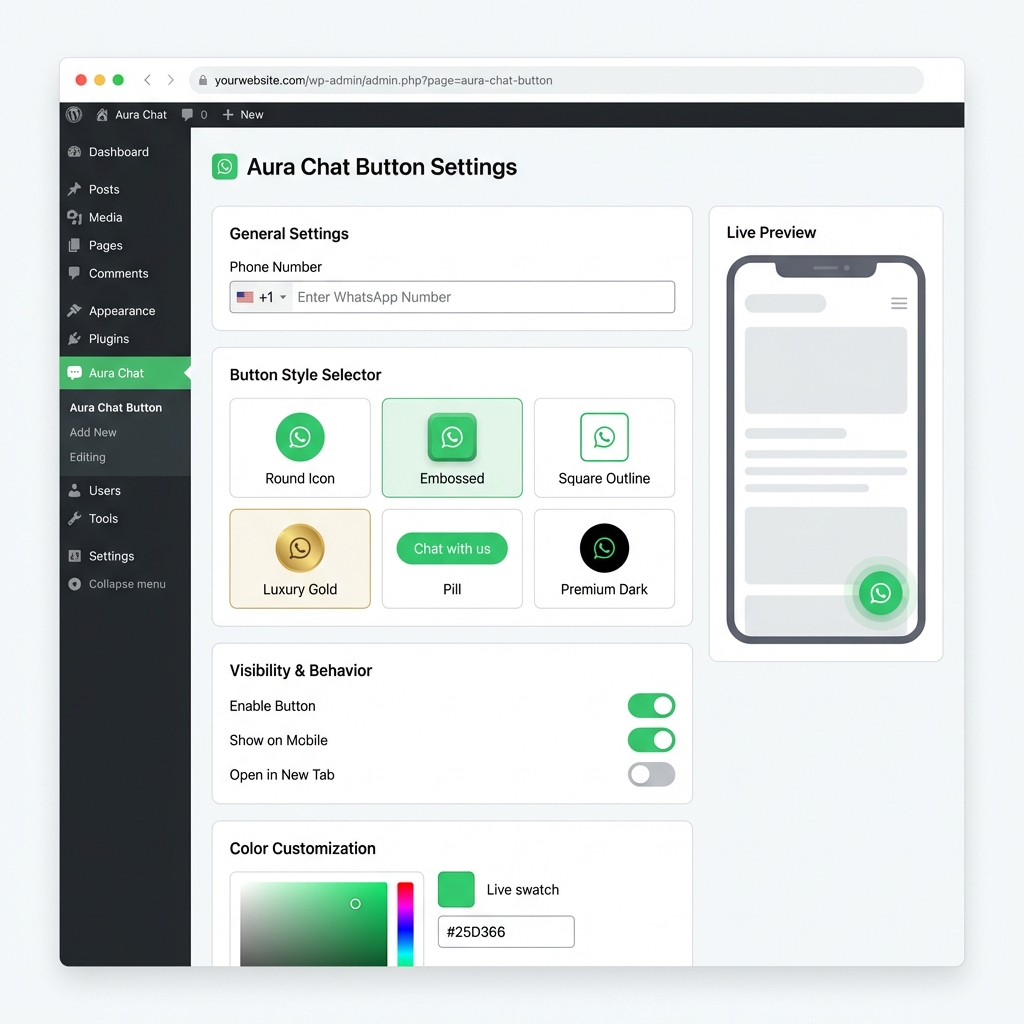
Dashboard overview—general options and messages.
Click to Chat Button – Live Customer Messaging, Support & Conversions for WooCommerce
WhatsApp chat 💬 with a floating WhatsApp chat button 🟢, WhatsApp integration for WooCommerce 🔥, and fast, mobile-optimized customer support ⚡
This plugin is built for store owners and businesses that want a reliable WhatsApp chat button with a clean click to chat flow. Visitors can open chat quickly, ask pre-sales questions, and get support without friction.
Customer communication and SEO relevance
Clear customer communication often improves on-page engagement signals. When users can ask product, shipping, or payment questions instantly, they spend less time searching and more time completing actions.
For WooCommerce websites, this supports common intent paths:
- product inquiry before checkout,
- order status and delivery support,
- post-purchase customer support,
- mobile-first contact for fast responses.
Core benefits for WooCommerce and business sites
- WhatsApp click to chat: direct contact path from high-intent pages.
- Floating chat button: always-visible entry point for support.
- WooCommerce compatibility: useful across shop and product journeys.
- Support workflow fit: helps sales and service teams handle chat faster.
- Global business use: practical for multilingual and international stores.
Typical use scenarios
- online stores handling product and shipping questions,
- local services collecting leads from mobile visitors,
- campaign landing pages that need direct customer contact,
- brands that prefer chat-first customer support.
The plugin keeps assets small through optimized icons, so your site stays quick. Add a WhatsApp link for support and sales, or go deeper with WooCommerce triggers and page-aware messages.
Why choose Click to Chat?
Store owners use it to add a direct WhatsApp line to their team and reduce friction before checkout. It is built around WooCommerce pages and everyday support workflows.
- Improved conversion: a visible WhatsApp entry point can calm last-minute questions before purchase.
- WooCommerce-aware: show or hide on shop, cart, checkout, account, and product flows as you prefer.
- Performance-minded: compressed icons and lean front-end code.
- Smarter links: optional context from the current page for clearer WhatsApp conversations.
- Languages and RTL: Arabic, Turkish, German, Spanish, and 110+ other locales.
- Orders and questions: customers can message about products from product pages in one step.
- Quick setup: add your WhatsApp number, pick a style, and go live.
What you get
- Business hours and offline messaging so expectations stay clear when you are away.
- Six button styles to match your brand.
- Built-in analytics for clicks and engagement.
- Separate mobile and desktop offsets so the button stays out of the way of checkout and key controls.
Common uses
- E-commerce help on product and catalog pages.
- Order and shipping questions for international stores (including Turkish-speaking teams).
- Lead capture on landing pages.
- Ongoing client contact for offers and follow-ups.