

atshift Freeform Login
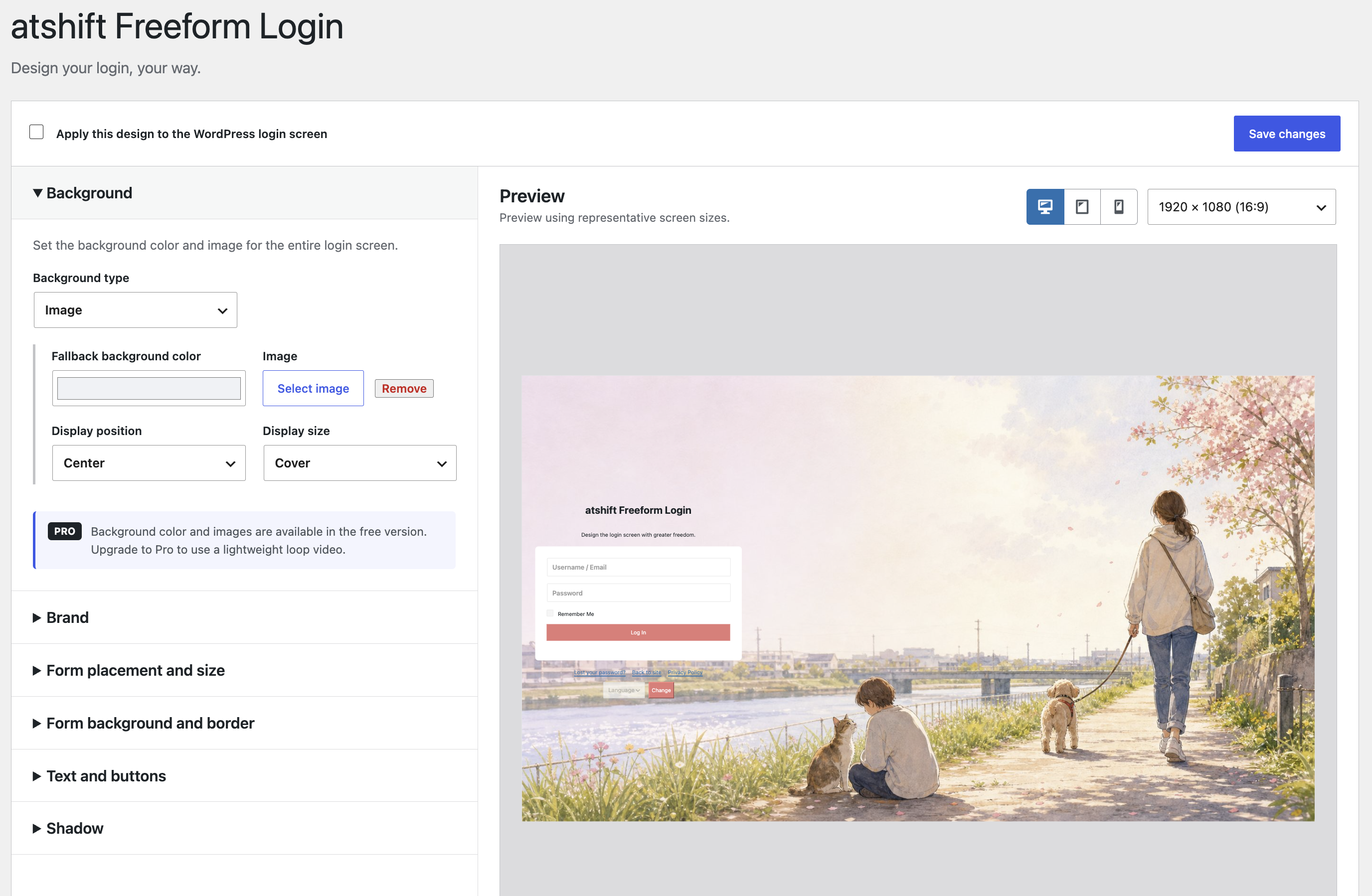
atshift Freeform Login customizes the standard WordPress login screen without replacing WordPress authentication. It also provides the [atshift_login] shortcode for site pages.
The free plugin includes background colors and images, a site-title brand display, form placement and width, core color controls, responsive fallback, a live preview, the login shortcode, and Jetpack SSO compatibility.
Passkey support is available on PHP 8.3 or newer when the PHP JSON and OpenSSL extensions are enabled and the site uses HTTPS. Localhost is supported for development. The rest of the plugin continues to run on its stated minimum PHP version when the passkey module is unavailable.
Users can register, name, and remove multiple passkeys from the standard WordPress profile screen. Synced passkeys may also be available on other devices using the same storage account. After the first passkey is registered on the site, a passkey login button appears on the WordPress login screen and in the [atshift_login] shortcode. Username and password login remains available as a fallback, so users should keep a long, unique password and store it in a password manager.
When atshift User Profile Fields is active, its optional Passkeys field can place the same management controls within the configured profile layout. Credentials and authentication remain managed by atshift Freeform Login.
When Jetpack SSO is active, its WordPress.com login UI is styled without replacing Jetpack authentication. The shortcode uses Jetpack automatically and respects Jetpack settings that hide or bypass the local login form. Use [atshift_login jetpack="hide"] only when local username and password login remains available.
Passkey ceremonies are verified on the WordPress server and do not require an external authentication service. The bundled WebAuthn and supporting libraries are MIT licensed; package names and exact versions are recorded in composer.lock.
Pro Add-on
The optional Pro add-on extends the free plugin with custom logo images, precise position offsets, transparency, borders, corner radius, and detailed shadow controls. The free plugin remains usable without an add-on.
- Pro add-on: Upgrade to Pro