


Annotix – Visual Website Feedback & Annotation
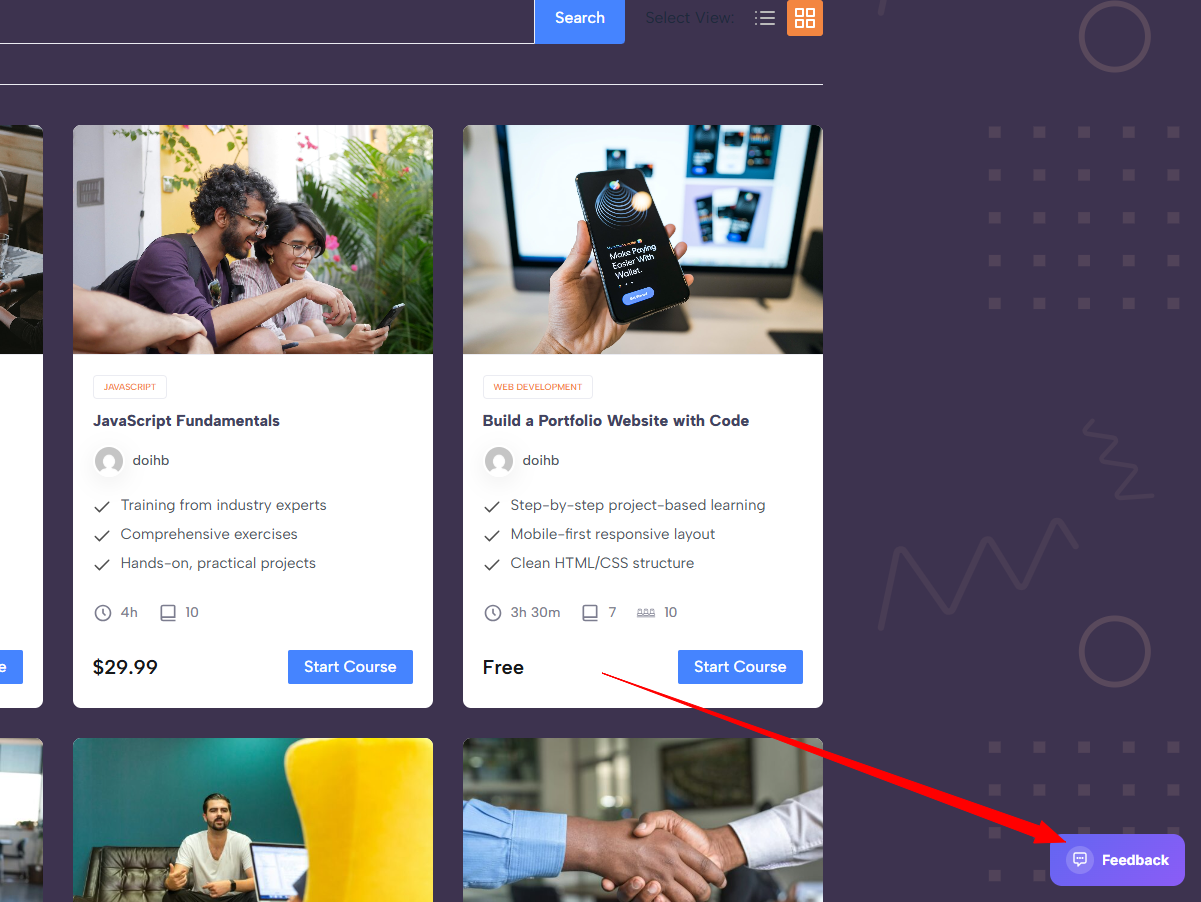
The feedback toggle button in the bottom-right corner of the frontend.
Annotix – Drag, Annotate, Feedback gives your team a way to annotate any page on the frontend, capture screenshots, track status, assign items, set priority, and collaborate through threaded replies – all without leaving the site.
Built by Native Infotech.
Demo video: https://youtu.be/VQssYhmuh0E
Core Features
- Click-to-annotate – click anywhere on any page to drop a feedback pin.
- Area selection – drag to select a specific region of the page before capturing. Selection is draggable and resizable with corner handles.
- Cleaner screenshot selection – the Pins panel auto-hides shortly after feedback mode starts and shows a soft drag-to-select notice so screenshots are not blocked by the sidebar.
- Screenshot capture – optionally attach a viewport screenshot via bundled html2canvas. The library is lazy-loaded on demand for faster page loads.
- Screenshot format controls – choose JPEG or PNG output and set JPEG quality from the General settings tab.
- Privacy-friendly font option – keep Google Fonts enabled for the default UI style or disable external font loading and use system fonts only.
- Annotation tools – draw arrows, rectangles, and circles over the selected area before saving. The arrow tool is selected by default for faster callouts.
- Markdown toolbar – format feedback descriptions with bold, italic, bullet lists, numbered lists, links, and inline code.
- Guest feedback link – allow clients without WordPress accounts to submit feedback through a private token URL.
- File attachments – upload images, PDFs, documents, spreadsheets, and other common files alongside feedback. Attachments open in a new tab and display file-type badges.
- Priority levels – tag each feedback item as Urgent, High, Normal, or Low with colour-coded badges and dots.
- Assignment – assign feedback items to specific team members from a dropdown.
- @Mentions – type @ in any comment or reply to mention a user and trigger an instant notification.
Collaboration
- Threaded replies – discuss feedback with your team in context under each pin.
- Inline editing – edit your own feedback descriptions and replies in place.
- Delete with confirmation – delete your own feedback or replies with a skippable confirmation dialog.
- Resolve / Unresolve – track completion state for each item. Resolved pins turn green.
- Draggable pins – reposition saved pins by dragging them to a new location.
Sidebar & Navigation
- Pins sidebar – a collapsible sidebar lists all feedback on the current page with status filters (Unresolved / Resolved).
- Pages overview – an expandable pages panel shows feedback counts across all pages on the site.
- Priority dots – sidebar items display colour-coded priority indicators for quick scanning.
Email Notifications
- Digest mode (recommended) – batches all activity into a single email at a configurable interval (15 / 30 / 60 minutes).
- Smart mode – digest by default, but sends instant emails for assignments and @mentions.
- Configurable – enable or disable notifications, choose delivery mode, and toggle instant alerts for assignments and mentions independently.
Admin Feedback
- Plugin feedback form – send bug reports, questions, or feature requests to Native Infotech directly from the WordPress admin settings.
Security & Permissions
- Role-based access – assign each WordPress administrator as Client, Dev, or No Access.
- Guest token access – optionally enable a private share link for non-WordPress clients. Guests can view page pins and create new feedback, but cannot edit, resolve, delete, or manage existing feedback.
- Client role – full access: create, edit own descriptions, move pins, assign, reply, resolve, delete, and upload attachments.
- Dev role – limited access: view, reply, and resolve/unresolve only.
- No Access – cannot see or use Annotix.
- Protected REST routes – authenticated access requires valid permissions; optional guest access requires the private share token and is limited to viewing and creating feedback.
- Rate limiting – built-in abuse protection on all REST endpoints.
- Safer uploads – SVG attachments are blocked by default to avoid unsanitized SVG risks.
Performance
- Lazy-loaded screenshot library – the 195 KB html2canvas library is only fetched when the user actually takes a screenshot, not on every page load.
- Smaller screenshot files – JPEG output at configurable quality keeps feedback screenshots lightweight.
- Deferred screenshot saving – feedback submissions return faster by saving screenshots after the REST response is flushed when supported by the server.
- Non-blocking font loading – Google Fonts are loaded via the WordPress enqueue API instead of a render-blocking CSS import.
- Session caching – REST responses are cached in sessionStorage for instant rendering on repeat visits, with background refresh.
- Transient caching – mention-user queries are cached with a 5-minute WordPress transient to reduce database load.
- Conditional loading – all plugin assets only load for logged-in users who have been granted access.
- System status – the settings page shows key diagnostics such as table status, REST availability, upload writability, scheduled email digest, and queue count.
Who is it for?
Annotix – Drag, Annotate, Feedback is designed for small teams (web agencies, freelancers, internal teams) where the designer, developer, and client all have WordPress administrator accounts and need a fast way to review and annotate the live site.
Third-Party Services
By default, this plugin loads the Inter and Manrope font families from Google Fonts (fonts.googleapis.com) on frontend pages where the feedback interface is available. When enabled, the visitor’s browser requests the font files directly from Google and may transmit the visitor’s IP address, browser user agent, and referrer as part of that request. You can disable external font loading in Settings > Website Feedback > General to use system fonts only.
- Service: Google Fonts
- Terms of Service: https://policies.google.com/terms
- Privacy Policy: https://policies.google.com/privacy
This plugin bundles the html2canvas library (MIT license) for optional screenshot capture. The library is loaded locally from the plugin directory and makes no external requests.
- Project page: https://html2canvas.hertzen.com/
- License: MIT
This plugin includes a voluntary feedback form in the admin settings (Settings > Website Feedback > Feedback). If you choose to submit feedback, your name, email address, subject, and message are sent to Native Infotech via your site’s WordPress mail system. No data is collected automatically – submission only occurs when you click “Send Feedback”.
- Native Infotech: https://nativeinfotech.com/
- Privacy Policy: https://nativeinfotech.com/privacy-policy/