


AltoSum – AI Post Summary, TL;DR & Key Takeaways
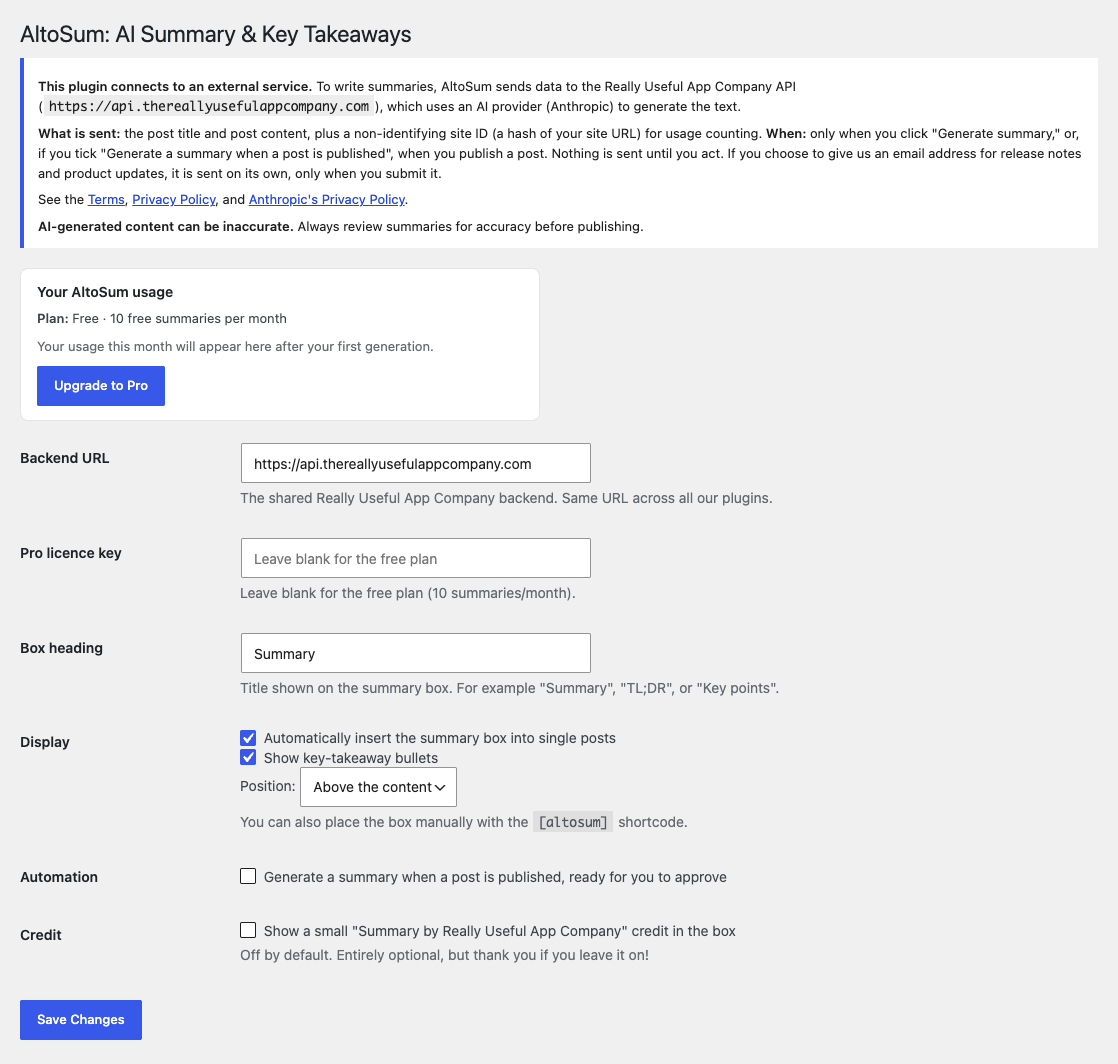
The AltoSum settings screen: set the box heading, choose where the summary appears, and choose whether a summary is generated when a post is published, ready for you to approve. No API key or account needed.
No API key. No account. No setup. Unlike almost every other AI summary plugin, which makes you sign up for OpenAI or Anthropic and paste in your own paid API key, AltoSum runs the AI on our hosted service, so there is nothing to configure. You generate each summary with one click from the post editor, free for the first 10 every month.
Each summary is a short TL;DR plus a few key-takeaway bullets, written from your post. It appears in a box at the top (or bottom) of the article once you switch on automatic insertion in Settings, or wherever you put the [altosum] shortcode.
The free plan covers 10 summaries per month; AltoSum Pro raises that limit (subject to fair use).
- No API key or third-party account. The AI runs on our service.
- One click to generate a summary from the post editor.
- Optional generation when you publish. The summary waits in the editor for your approval and is not shown until you approve it.
- Show it via the
[altosum]shortcode, or auto-insert it into single posts. - Optional key-takeaway bullets.
- Privacy-friendly: automation is off until you switch it on. To generate a summary we send the post title and content, with a site ID (a hash of your site URL) and the plugin version. The External services section below lists everything that is sent.
- Pro: a higher monthly limit (subject to fair use).
External services
This plugin connects to the Really Useful App Company API to generate summaries. It is required
for the plugin’s core feature.
- What is sent and when: the plugin sends the post title and post content to the API on
each of these actions, and nothing else triggers a send of your content:- when you click “Generate summary” in the editor
- when you publish a post with “Generate a summary when a post is published” ticked
- Also sent: a site ID (a hash of your site URL) for usage counting, and the
plugin version, so we can tell which release a report relates to. We treat the site ID as personal data, because it can be matched to your site’s address. Our privacy policy explains how we use it. Whether this site’s review prompt was shown, snoozed, dismissed or clicked is also sent, so we can tell whether that prompt is working. It records the site, not the individual user, and says nothing about what you did on WordPress.org afterwards. If you choose to give us an email address, it is sent on its own, only when you submit your email address on the settings screen. It is optional, you are asked once (and again only after we have deleted it), and every feature keeps working if you skip or dismiss it. It is sent only if you tick the sign-up box, together with the wording you agreed to. We use it to send release notes and product updates and to give you a way to reach us. These emails are sent from our Microsoft 365 mailbox. You can unsubscribe from any message, and we delete it 24 months after your last contact with us. Whether this site’s email prompt was shown, dismissed or submitted is also sent, so we can tell whether it is working; it does not include the address itself. - Where it goes: the API (default
https://api.thereallyusefulappcompany.com), which uses Anthropic as an AI
subprocessor to generate the text. - Terms / privacy: https://www.thereallyusefulappcompany.com/altosum/terms , https://www.thereallyusefulappcompany.com/altosum/privacy ,
https://www.anthropic.com/legal/privacy
Nothing is sent until you click generate, or publish with “Generate a summary when a post is published” ticked. If you choose to give us an email address, it is sent when you submit it.