


Allaxi Timeline Slider Creator
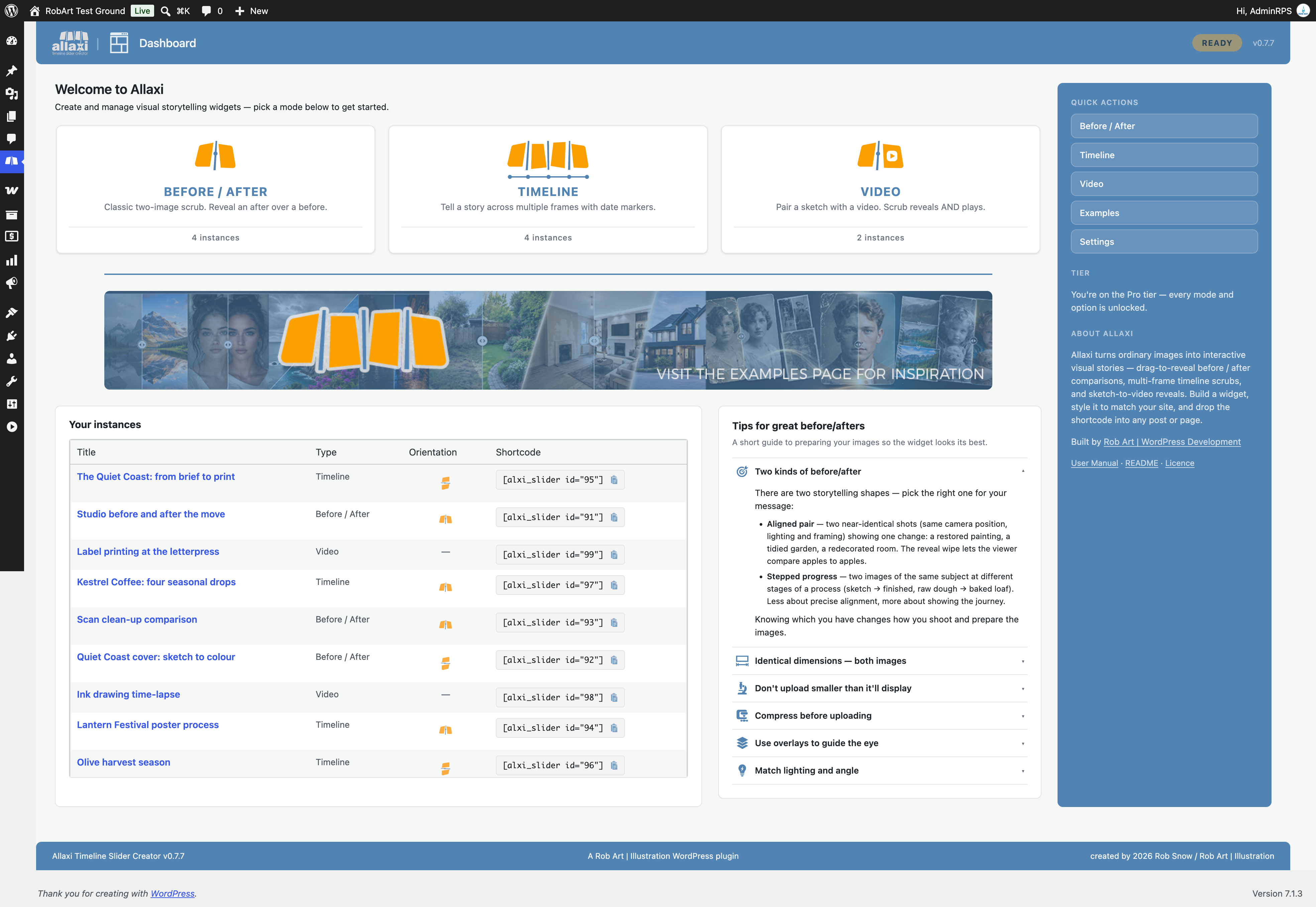
The Dashboard — pick a mode and see your recent widgets, with the shortcode for each ready to copy.
Don’t just show the result. Let visitors explore the change.
Show the transformation, not just the finished result. Allaxi lets you create interactive Before / After comparisons and horizontal multi-frame timelines directly in WordPress — free. Upload your images, customise the slider in a live editor and add it to any page with a shortcode. No coding required.
From a newly furnished studio to an artwork taking shape, Allaxi helps your audience see what changed — instead of just reading about it.
What you can do with Allaxi Free
- Drag-to-reveal image comparisons — show the before and after in one interactive view.
- Horizontal multi-frame timelines — let visitors scrub through each stage of a process, artwork or transformation.
- Live visual editor — build and customise your slider while seeing the result.
- Custom reveal controls — style the draggable handle and divider to suit your website.
- Before / After labels — help visitors understand each side of the transformation.
- Labels and captions — make each transformation or timeline stage easy to follow.
- Presentation options — add a title, information text and optional background box.
- Easy shortcode placement — insert your slider into posts and pages without coding.
Ideal for: home improvements, architecture, photography edits, artwork restoration, web design makeovers, landscaping and product transformations.
Create a visual timeline — included free
Show a whole journey, not just the start and finish. Arrange successive images into a horizontal, draggable timeline — ideal for concept sketches to final illustration, construction stages, restoration projects or historical comparisons. Add labelled stages so visitors can explore the progress themselves.
Go further with Allaxi Pro
Storyboard to Clip — reveal the finished motion.
Compare an illustration or storyboard with finished footage. Dragging the slider reveals the video while moving through the clip. Adjust the matching frame, optionally dissolve the sketch and add transparent PNG overlays. Works with local video files or YouTube links (local files typically scrub more smoothly).
More Pro options
- Vertical comparisons and timelines (horizontal modes are free).
- Per-frame transparent PNG overlays.
- Advanced styling and additional timeline presentation options, including caption bubbles.
- Option to remove the “Made with Allaxi” credit.
Free vs Pro at a glance
- Free: horizontal Before / After comparisons, horizontal multi-frame Timeline Slider and live editor.
- Pro: Storyboard-to-Clip video reveal, vertical orientation, PNG overlays and advanced styling.
Create your first slider
- Open Allaxi in your WordPress dashboard.
- Choose Before / After for a two-image comparison, or Timeline for a sequence of stages.
- Add your images and adjust the available controls in the live editor.
- Copy your shortcode, such as
[allaxi id="123"], into a post or page.
Tip: For the cleanest comparison or timeline transition, use images with matching dimensions and camera angles.
Uninstall
Allaxi cleans up after itself. When you delete the plugin from the Plugins screen — and only if you have enabled “Remove data on uninstall” in Settings — it removes everything it created: its settings and options, its install date, and every Before/After, Timeline and Video widget you built (stored as its own hidden post type). On a multisite network the same clean-up runs for each site. Deactivating keeps everything; only deleting runs the clean-up, and it runs only when you have opted in. Your Media Library images are never touched — Allaxi only references them, so your originals always stay in place.