
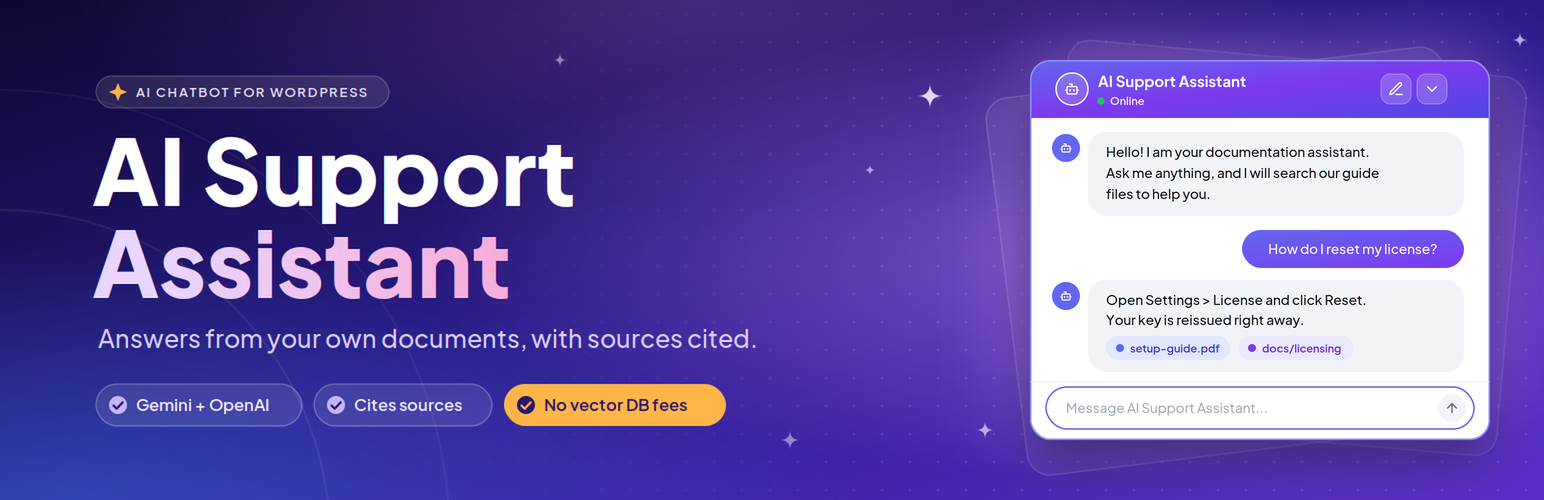

AI Support Assistant

Analytics overview showing query counts, token usage, and indexed chunks.
AI Support Assistant lets you build an on-site chatbot that answers questions based on your actual documentation, product manuals, and guides.
Most AI chatbots either hallucinate or require you to pay monthly subscription fees for external vector databases like Pinecone, Qdrant, or Milvus. This plugin takes a different approach: it stores embeddings and runs similarity queries directly inside your existing WordPress MySQL database.
When a visitor types a question in the chat widget:
1. The plugin converts the question into an embedding vector.
2. It runs a cosine similarity search across your document chunks in MySQL.
3. It sends the best matching excerpts to your chosen AI model (Gemini or OpenAI).
4. The assistant replies using your content and shows which documents it referenced.
If the answer is not in your documents, you can set a fallback response so the bot does not make things up.
Main Highlights
- Self-contained vector search: Embeddings are saved directly in your WordPress database. You do not need any external vector database accounts or recurring SaaS fees.
- Works with Google Gemini and OpenAI: Use Gemini models (like Gemini 3.1 Flash Lite or 1.5 Flash) or OpenAI (like GPT-4o or GPT-4o-mini).
- WordPress AI Connectors support: Ready for WordPress core AI Client and Connectors API.
- File uploads & URL crawling: Upload PDF, Word (.docx), or plain text (.txt) files, or crawl live webpage documentation URLs. The plugin splits content into searchable text chunks automatically.
- Background indexing: Document uploads and re-indexing are queued through WordPress Cron, so the admin request does not wait for embedding every chunk. Ensure WP-Cron or a server cron is running for queued work to complete.
- Public chat limits: Requests are limited to 20 per IP address per 10-minute window by default; administrators can adjust the limit in Settings.
- Real-time streaming responses: Direct OpenAI and Gemini responses stream through the WordPress HTTP cURL transport. Native AI and hosts without cURL may return buffered answers.
- Document citations: Responses can display badges showing which uploaded file or URL provided the answer.
- Locally hosted assets: The chat widget’s Plus Jakarta Sans font and scripts are bundled locally; the admin uses the WordPress system font stack. No external CDN or Google Fonts tracking calls are made.
- Customizable widget: Choose between Light, Dark, or Glass themes. Adjust widget height, width, title, and initial greeting.
- Usage insights and query logs: Review visitor questions, token usage, and response logs from the admin dashboard, with an option to export logs to CSV.
Quick Demo
Watch a walkthrough showing document upload and chat widget setup:
Features
Document Management
- File formats: Upload PDF, DOCX, and TXT files from the admin area.
- URL crawling: Ingest public documentation pages and knowledge base articles directly via URL.
- Text extraction & chunking: Automatic parsing with configurable chunk size and overlap.
- Chunk inspection: Review chunks or re-index documents whenever you update them.
AI Providers & Models
- Google Gemini and OpenAI: Direct API mode automatically loads chat and embedding models available to your API key. Model lists can be refreshed from the Settings page.
- Connectors API: compatible with core WordPress AI credentials.
- Custom system prompt: write your own instructions to control how the bot answers.
Chat Widget
- Floating launcher: Toggle button with a smooth slide-out chat window.
- Three built-in themes: Light, Dark, and Glass.
- Real-time streaming: Incremental OpenAI and Gemini responses when the host supports cURL and unbuffered output.
- Document citations: Displays source document and URL tags below answers.
- Session persistence: Signed conversation credentials persist in browser storage, separately for each widget position and provider.
Logs and Analytics
- Visual analytics: Admin graphs showing weekly query volume and token usage.
- Conversation history: Filter and search visitor queries and responses.
- CSV export: Export chat logs for team analysis or support review.
Privacy & Security
- 100% self-hosted assets: The chat widget’s bundled local WOFF2 font and local scripts avoid third-party tracking; the admin uses system fonts provided by WordPress.
- Permission checks: Admin actions are protected by nonce verification and
manage_optionscapability checks. - Safe SQL queries: Database queries use
$wpdb->prepare(). - Data disclosure: Document text is sent for indexing. Questions, matching document excerpts, and recent conversation turns are sent for answers. These texts may contain personal information supplied by visitors or administrators. The plugin does not deliberately attach visitor IP addresses or WordPress user profiles.
External Services
This plugin connects to third-party AI APIs to generate embeddings and generate chat responses. Data is sent over HTTPS only when documents are indexed or when a user submits a chat message:
- OpenAI API (https://openai.com): Used for text embeddings and chat answers if OpenAI is selected. See the OpenAI Terms of Use (https://openai.com/policies/terms-of-use/) and Privacy Policy (https://openai.com/policies/privacy-policy/).
- Google Gemini API (https://ai.google.dev): Used for text embeddings and chat answers if Gemini is selected. See Google Terms of Service (https://developers.google.com/terms) and Privacy Policy (https://policies.google.com/privacy).
- WordPress AI Connectors: If enabled on WordPress 7.0+, connections route through credentials defined in your site settings.
Questions, documents, and conversation history may contain personal data. Administrators must obtain appropriate authorization before indexing content or offering chat, and explain these transfers in the site privacy policy. Saving direct API settings sends a test embedding request; refreshing models sends the entered API key to the selected provider. The plugin does not deliberately attach visitor IP addresses or WordPress user profiles.
Requirements
- WordPress 6.2 or higher
- PHP 7.4 or higher
- MySQL 5.7+ or MariaDB 10.3+
- An API key from Google AI Studio (Gemini) or OpenAI
Shortcode
Display the chat box on any page, post, or widget area:
[ai_support_assistant]
Available Attributes
- theme: Visual style. Options:
light(default),dark,glass. - title: Header title displayed at the top of the chat box.
- width: Widget width, for example
width="450px". Default is450px. - height: Widget height, for example
height="600px". Default is600px. - provider_override: Choose the chat provider for that widget instance (
geminioropenai). Retrieval still uses the configured knowledge-base embedding model.
Examples
Default widget:
[ai_support_assistant]
Dark theme with custom size and title:
[ai_support_assistant theme=”dark” title=”Documentation Help” width=”450px” height=”600px”]
Aliases that work the same way:
* [ai_support]
* [support_assistant]
Local Search Capacity
Local search processes embeddings in batches of 100 and supports up to 10,000 chunks for the active embedding model. Work still grows with index size; benchmark your hosting before public use. A larger index returns an error rather than silently searching only part of the documentation.
After upgrading from an earlier version or changing embedding models, re-index documents in the document manager. Untagged legacy chunks and chunks from other models are excluded from retrieval. Native AI mode may select a fallback embedding provider; only chunks matching the actual successful provider and model are searched.
Maintenance Changes
Re-index PDF documents to populate page citations. Existing chunks retain their previous metadata until rebuilt.
A minimum cosine similarity of 0.50 now filters retrieval; tune Minimum Similarity in Settings for your embedding model.
Unsigned legacy browser sessions start a new conversation. Existing records remain subject to the retention policy.
Statistics count individual retained requests by their message timestamps. Old replies without outcome metadata are shown as unclassified rather than treated as resolved.
Streaming depends on the host and reverse proxy allowing unbuffered output. Native AI uses its available text-generation interface and can remain buffered.