
AI website builder for the block editor and Elementor – Advanced Addons

AI chat on Block editor
Advanced Addons extends the WordPress Block Editor and Elementor with animation controls, custom CSS, and an optional AI-assisted layout builder.
Key features include:
- AI Builder for generating and editing layouts (WordPress 7.0+)
- Tailwind block for WordPress block editor
- Add custom CSS to blocks and Elementor widgets
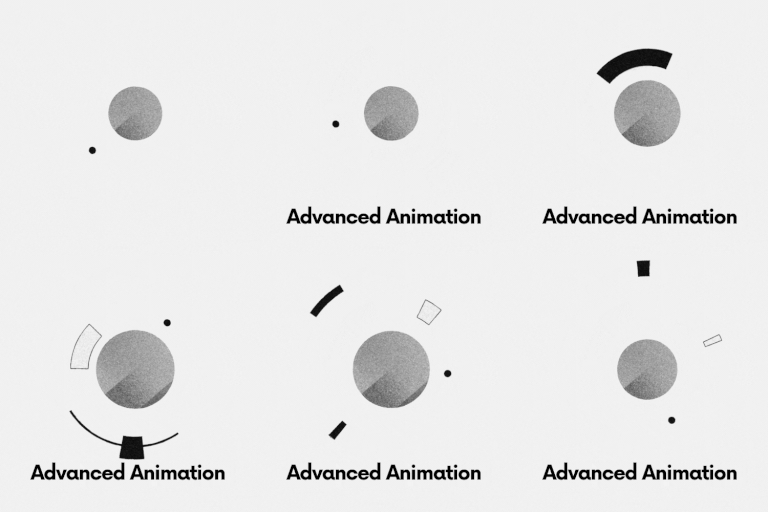
- Advanced animation controls for blocks and elementor
- Marquee Ticker widget for Elementor
- Native container marquee mode for legacy Containers and v4 Flexbox/Div layouts
Animation and custom CSS work on WordPress 6.5 and later. AI features only load when the site runs WordPress 7.0 or newer.
WordPress version requirements
- WordPress 6.5+ — animation controls and custom CSS (core plugin features)
- WordPress 7.0+ — required to use AI Builder features (WordPress AI Client / Connectors, AI chat in the editors, Unsplash search via AI tools, Tailwind HTML AI block workflow)
If your site is on WordPress 6.5–6.9, the plugin still works for animation and custom CSS; AI Builder UI and APIs stay disabled until you upgrade to WordPress 7.0+.
Pro version
The Pro version is available on the Patreon page.
Third-party services
This plugin can optionally connect to external services. No calls are made until you configure credentials and use the related AI features (WordPress 7.0+).
- WordPress AI providers — configured via WordPress Connectors / AI Client. Your prompts and page context may be sent to the provider you select. Review each provider’s privacy policy and terms before use.
- Unsplash API — optional stock photo search. Requires an Unsplash access key from https://unsplash.com/oauth/applications. Searches are sent to
api.unsplash.com. See Unsplash API Guidelines and Terms: https://unsplash.com/api/terms
API keys are stored in WordPress options (or via constants/environment variables) and are never sent to Advanced Addons servers.
Features
AI Builder (WordPress 7.0+)
Generate and edit page sections with AI in the block editor and Elementor when WordPress AI Client / connectors are available.
Animation Controls
Add animations to blocks and widgets using visual settings, including:
- Transform animations (translate, rotate, scale)
- Scroll-based effects
- Custom animation properties
Custom CSS
Extend styling without editing theme files:
- Add custom CSS directly in the block editor
- Add custom CSS to Elementor widgets without Elementor Property
Elementor Marquee Ticker
Search for “Marquee Ticker” in Elementor’s widget panel and drag it onto your page.
Add text, images, icons with text, or published Elementor templates to the Items list.
Saved templates let you build custom cards; set an item width in Style for these layouts.
- Seamless continuous scrolling left, right, up, or down
- Responsive speed in pixels per second, spacing, sizing, alignment and padding
- Hover speed multiplier: 0 pauses, 0.5 slows down, 1 keeps the same speed
- Mouse and touch dragging with optional momentum; speed 0 creates a drag-only ticker
- Adjustable edge fades, typography, colors, backgrounds and item borders
- Pause/play control, keyboard focus pause and reduced-motion support
- Motion pauses outside the viewport and in hidden tabs
- Live Elementor preview with an option to disable editor animation
For a vertical ticker, set the viewport height under Style Layout (default: 300px).
On devices with reduced motion enabled, the ticker becomes a scrollable static list.
Use saved templates for visual content; repeated copies are visual duplicates, and complex
interactive widgets inside templates may require their own initialization.
Native Container Marquee
Select a legacy Container and open Layout Marquee Ticker, or select a v4
Flexbox/Div layout and open General Marquee Ticker. Turn on Enable Marquee.
Each immediate child becomes one ticker item; nest a container to build a complete card.
Keep using native dimensions, padding, backgrounds, borders, spacing and child styles.
Marquee is disabled by default. Enabling it starts leftward scrolling at 60px/second,
pauses on hover, enables dragging with momentum, adds 60px edge fades and shows a
pause/play button. Speed and fade width support responsive overrides; speed 0 allows
dragging without autoplay. Direction selects the row or column axis without wrapping.
Vertical tickers use the configured container height, or 300px when no height is set.
The editing canvas remains stationary with its native child hierarchy. Open page Preview
to see animation. Disabling marquee or enabling reduced motion restores the native layout.
Visual content and linked cards are supported. Forms, videos, sliders and other stateful
widgets inside repeated copies are outside this version’s supported scope.
The separate Marquee Ticker widget remains available; no content migration is needed.
Editor Integration
Built to integrate with:
- WordPress Block Editor
- Elementor editor