


Adminvoro Toolkit – Login, Redirects & Site Controls
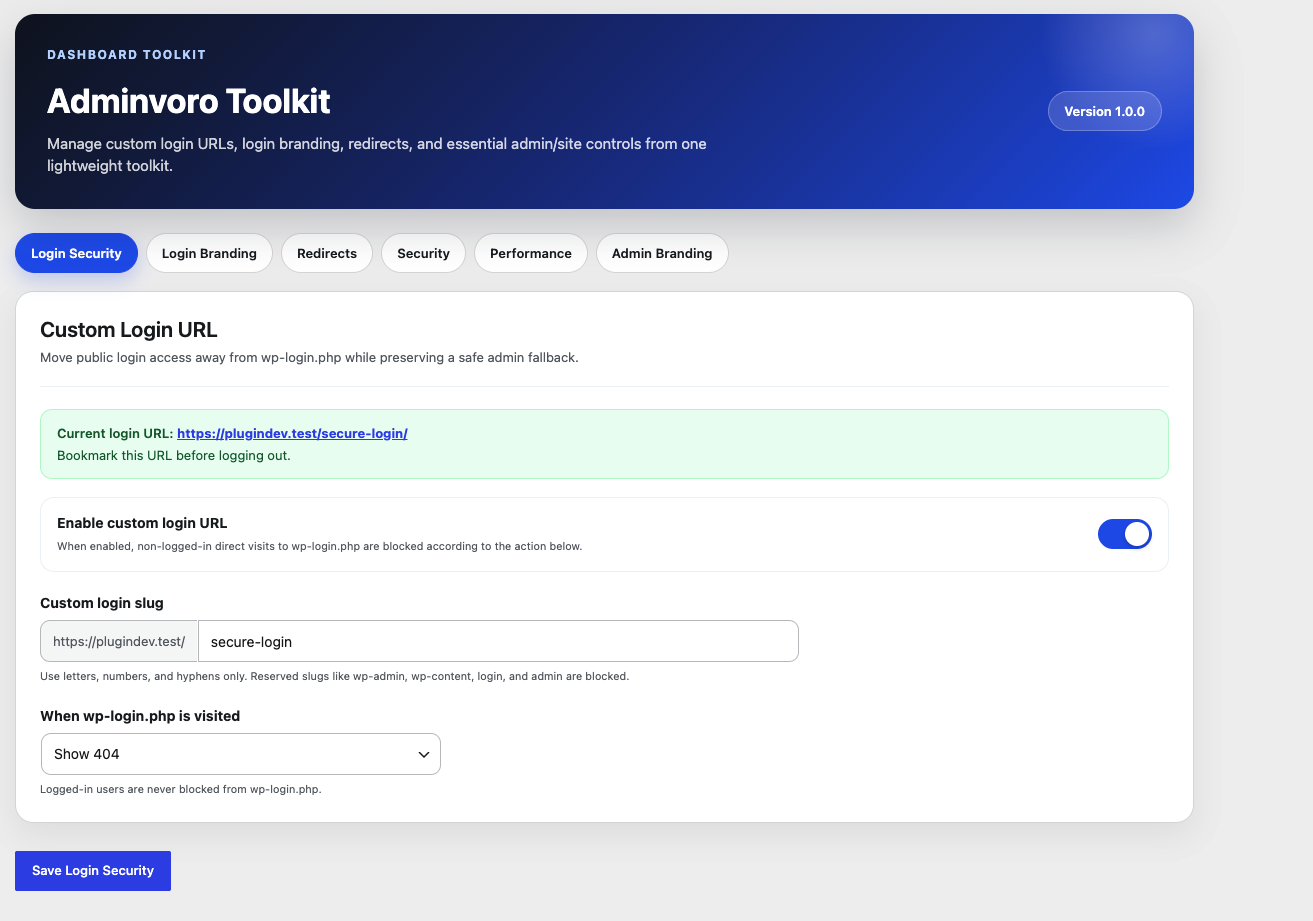
Adminvoro Toolkit settings dashboard and navigation.
Adminvoro Toolkit brings several practical WordPress administration tools into one lightweight settings screen.
Use it to create a custom login URL, personalize the login page, manage simple redirects, apply basic security hardening, disable optional WordPress assets, and replace the default admin footer text.
Custom Login URL
- Replace the public WordPress login address with a custom login slug.
- Block direct logged-out access to
wp-login.phpand protectedwp-adminrequests. - Choose what happens when the default login URL is visited: show a 404 response, redirect to the homepage, or redirect to a same-site page.
- Keep generated WordPress login links pointed to the custom login address.
- Recover access at any time with the
ADMINVORO_DISABLE_CUSTOM_LOGINconstant.
Login Page Branding
- Select a custom login logo from the WordPress Media Library.
- Change the URL opened when the login logo is clicked.
- Add formatted helper text below the logo.
- Customize the login background, outside text, and outside link colors.
- Control the size of the custom login message.
- Reset login branding settings to their defaults.
Redirect Manager
- Create and manage simple frontend redirects.
- Choose permanent 301 or temporary 302 redirects.
- Enable, disable, or delete individual redirect rules.
- Use root-relative paths or valid absolute HTTP(S) URLs.
- Skip invalid, incomplete, duplicate, and self-looping redirect rules.
- Avoid redirect processing for WordPress admin, AJAX, cron, and REST requests.
Adminvoro uses WordPress safe redirect handling. Redirects to another domain work only when that destination host is permitted by WordPress.
Basic Security Controls
- Disable XML-RPC requests and remove the
X-Pingbackresponse header. - Reduce logged-out user enumeration through author requests and public REST API user endpoints.
- Remove WordPress generator output and the core version query string from matching script and stylesheet URLs.
- Block public access to
/readme.htmland/license.txtwith a 403 Forbidden response.
These controls provide basic hardening only. Adminvoro Toolkit is not a firewall, malware scanner, backup solution, or replacement for a complete WordPress security service.
Performance Tweaks
- Remove WordPress emoji scripts, styles, filters, TinyMCE support, and related DNS prefetch hints.
- Remove frontend oEmbed discovery output and dequeue the
wp-embedscript.
Admin Branding
- Replace the default WordPress admin footer text with your own message.
- Use basic permitted HTML formatting in the custom footer text.
Data Management
- Keep plugin settings and redirect rules when Adminvoro is deleted by default.
- Optionally remove all saved plugin data during uninstall.
Lightweight and Focused
Adminvoro Toolkit is intended for administrators who want a focused collection of common site controls without installing a separate plugin for every small customization.
Plugin data is preserved by default when Adminvoro is deleted. Enable Delete plugin data on uninstall in the Data tab if you want deletion to remove all saved settings and redirect rules.