


Add multiple products to cart via url for Woocommerce
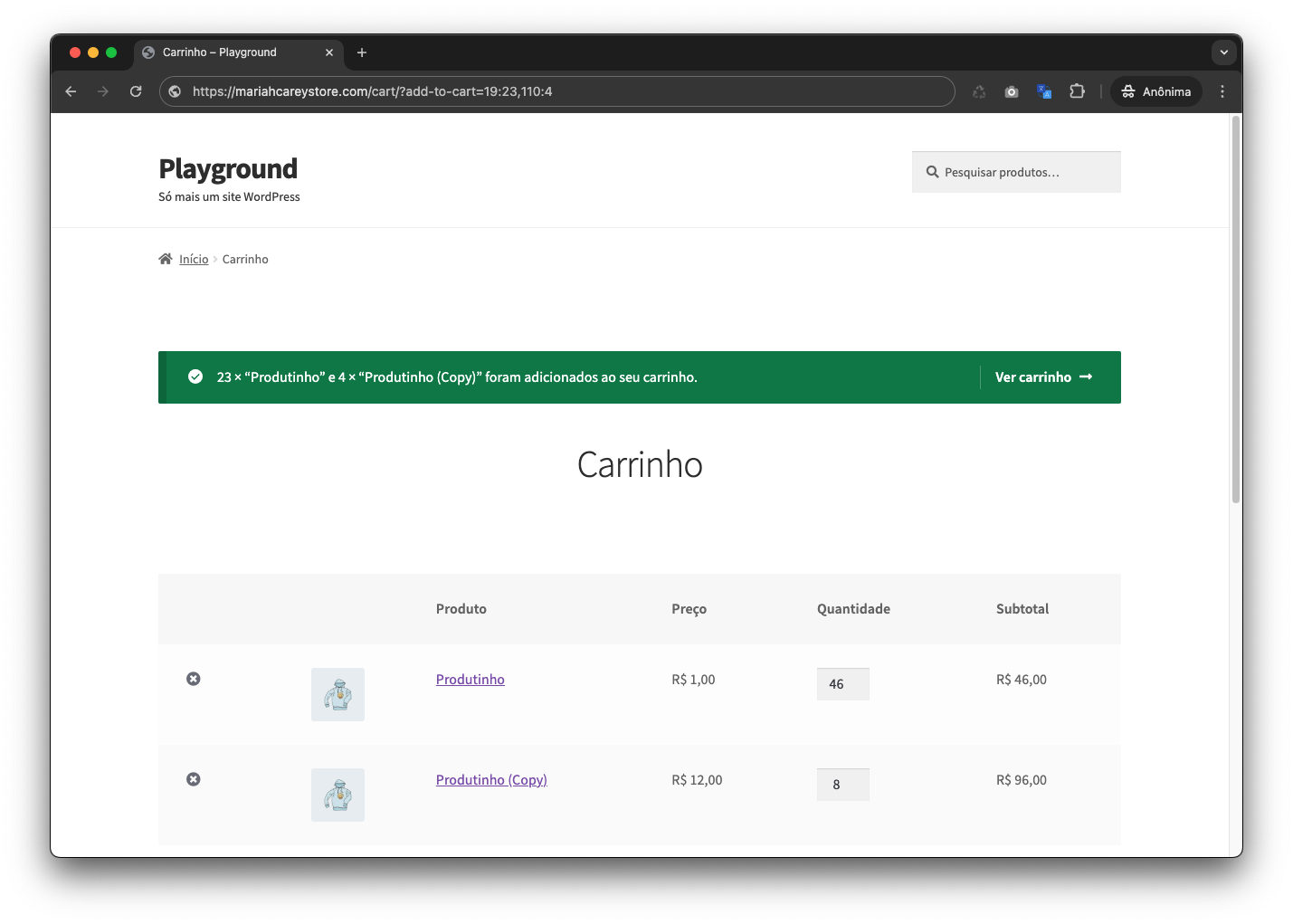
Example of URL format with multiple products.
This plugin allows adding multiple simple (not variable or grouped) products to the WooCommerce cart using URL parameters. While WooCommerce natively supports adding a single product to the cart via a URL parameter like add-to-cart=product_id&quantity=quantity, this plugin extends that functionality to support multiple products in a single URL.
How it works:
- URL Format:
?add-to-cart=product_id:quantity,product_id:quantity,product_id:quantity - Single Quantity: If the quantity is not specified (eg.
?add-to-cart=product_id,product_id:quantity), the product is added with a quantity of 1.
Examples:
- Adding multiple products with specific quantities:
example.com/cart/?add-to-cart=12:2,34:1,56:5 - Adding multiple products with default quantity:
example.com/cart/?add-to-cart=12,34:2,56
Configuration
The plugin works out of the box with no configuration required. However, you can optionally define the following constants in your wp-config.php to adjust the default limits:
Maximum products per request (default: 50)
define( ‘ADD_MULTIPLE_TO_WC_CART_PRODUCT_LIMIT’, 50 );
Limits how many product entries are processed in a single URL. Extra products beyond the limit are silently ignored.
Maximum quantity per product (default: 999)
define( ‘ADD_MULTIPLE_TO_WC_CART_QTY_MAXIMUM’, 999 );
Caps the quantity of each individual product. Any quantity above this value is clamped to the maximum.
Example — allow up to 10 products with a max qty of 100:
define( ‘ADD_MULTIPLE_TO_WC_CART_PRODUCT_LIMIT’, 10 );
define( ‘ADD_MULTIPLE_TO_WC_CART_QTY_MAXIMUM’, 100 );