
File Manager
Browse, upload, edit, and manage your WordPress files directly from the dashboard — or connect over SFTP with your favorite desktop client. Either way, your files are always within reach.
- No FTP client needed
- SFTP included
- Built-in code editor
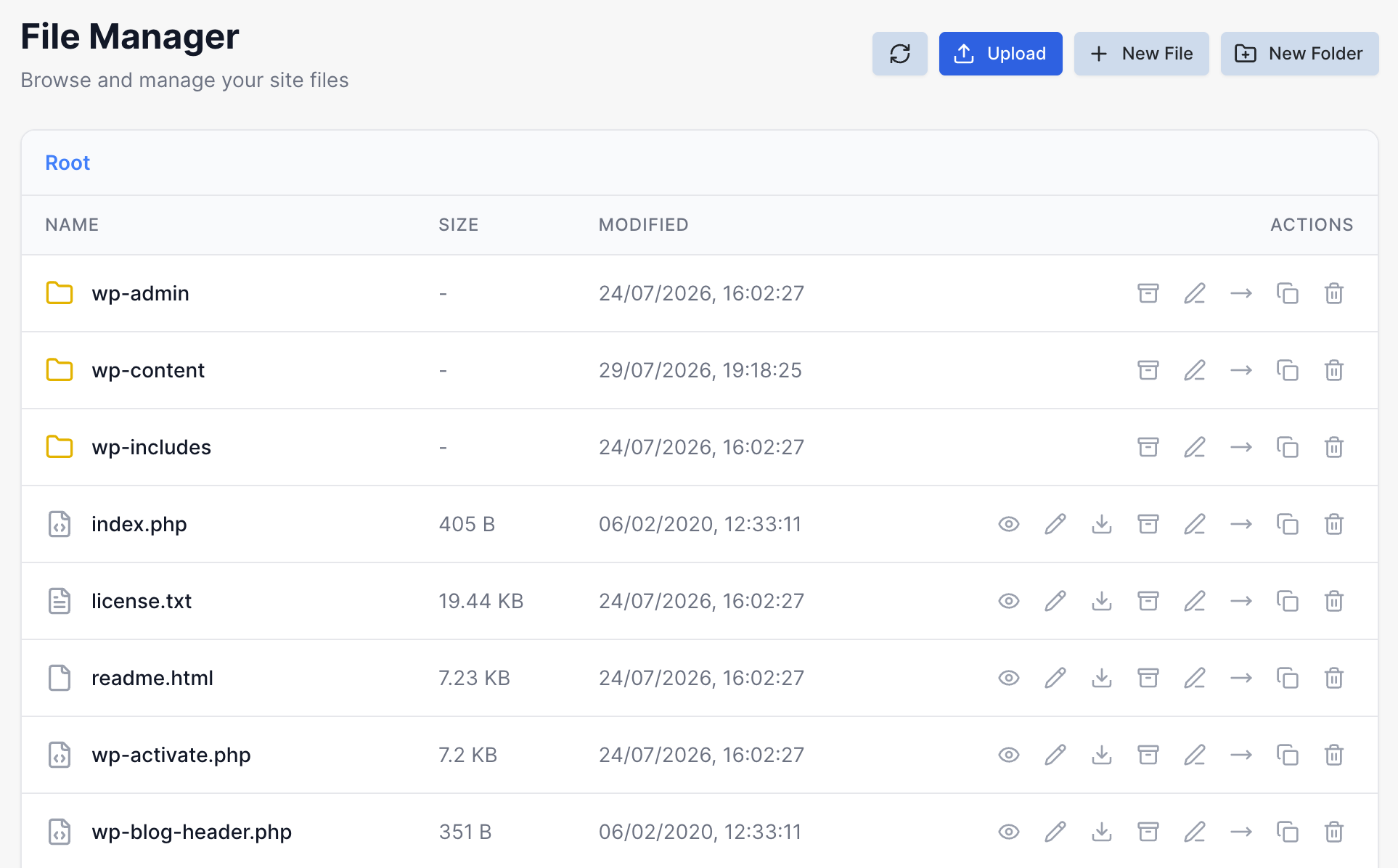
Manage files your way
A full file manager in your browser, plus SFTP for when you want your usual desktop workflow.
Full Web File Manager
Browse, upload, rename, edit, and delete files directly in your browser — no FTP client needed for everyday tasks.
Built-in Code Editor
Open any text file in a syntax-highlighted editor to make quick edits to wp-config.php, .htaccess, or theme files without leaving the dashboard.
SFTP Access
Prefer a desktop client? Connect with FileZilla, Cyberduck, Transmit, or any SFTP client using the credentials in your site's Settings tab.
Sane Default Permissions
Files are set to 644 and directories to 755 by default, keeping your site secure without ever needing risky 777 permissions.
Upload limits by access method
Web File Manager
Up to 256 MB per upload
SFTP
No file size limit
Terminal / WP-CLI
Bulk moves & large imports
Common questions about file access
No — for security, only SFTP (SSH File Transfer Protocol) is supported. Any FTP client that supports SFTP, such as FileZilla, Cyberduck, or Transmit, will work.
The browser-based file manager supports uploads up to 256 MB. For larger files, use SFTP, which has no size limit, or the terminal for bulk transfers.
Yes. Click any text file in the file manager to open it in the built-in code editor with syntax highlighting — handy for quick edits to wp-config.php, .htaccess, or theme files.
Your SFTP host, port, username, and password are listed in your site's Settings tab. Use them with any SFTP client to connect directly to your site's files.
Explore more features
Everything else that comes standard with every XeroWP site.
Docker-Based Infrastructure
Every site runs in its own secure, isolated Docker container — no shared resources, no noisy neighbors.
Easy Site Creation
Create and launch WordPress sites in seconds with our intuitive one-click setup.
Automated Backups
Daily automated backups with one-click restore functionality.
Database Management
Direct MySQL access and management tools for power users.
Manage your files without leaving the browser
No credit card required
Get a full file manager and SFTP access with every WordPress site — try it free for 7 days.
14-day money-back guarantee, no questions asked
Already hosting elsewhere? We'll migrate your site free.